
Tutorial – Create resource pack for MCedit / Minecraft
- Go to Minecraft folder
Windows
“C:\Users\*Username*\%AppData%\Roaming\.minecraft\ resourcepacks”
Mac
“~/Library/Application Support/minecraft/resourcepacks”
- Create a folder and rename it as you want
- Create a new file and rename it “pack.mcmeta”

NOTE: Make sure you don’t have an extra “.txt” after the file like this “pack.mcmeta”, also if you are in mac use Latin-US (Dos) or Western(Windows Latin1) for Plain text encoding.
- Inside the file put this information and change the description with the desire name for the resource pack
{
“pack”:{
“pack_format”:3,
“description”:”Hub resource Pack”
}
} 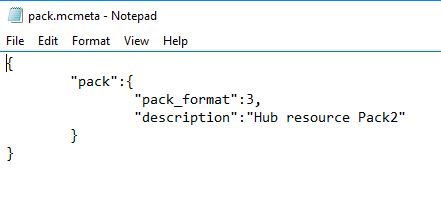
NOTE: pack_format: “x” If this number does not match the current required number, the resource pack will display an error and required additional confirmation to load the pack. Requires 1 in versions before 1.9, and 2 as of 1.9 and 1.10. 1.11 also requires a new number, 3 .
- Create a new image file with size 128×128 (or any square resolution) and save it as “pack.png” this will be the icon shown in minecraft
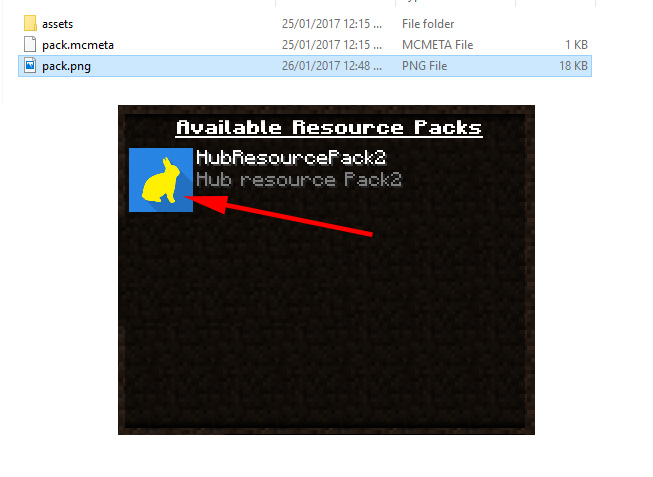
Go to this folder (where x.x.x is the version you have installed)
Windows
“C:\Users\*Username*\%AppData%\Roaming\.minecraft\version\x.x.x\”
Mac
“~/Library/Application Support/minecraft/version/x.x.x/”

- Extract the x.x.x.Jar file
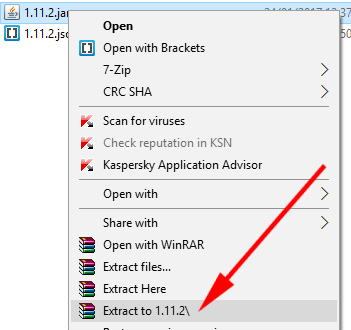
- Inside the folder you just extracted copy the folder “assets” to the folder you created inside the resourcepack folder.
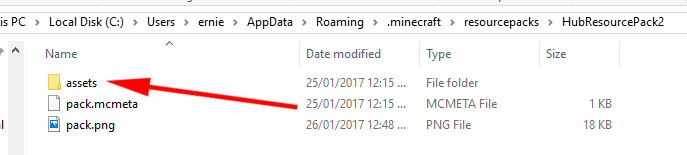
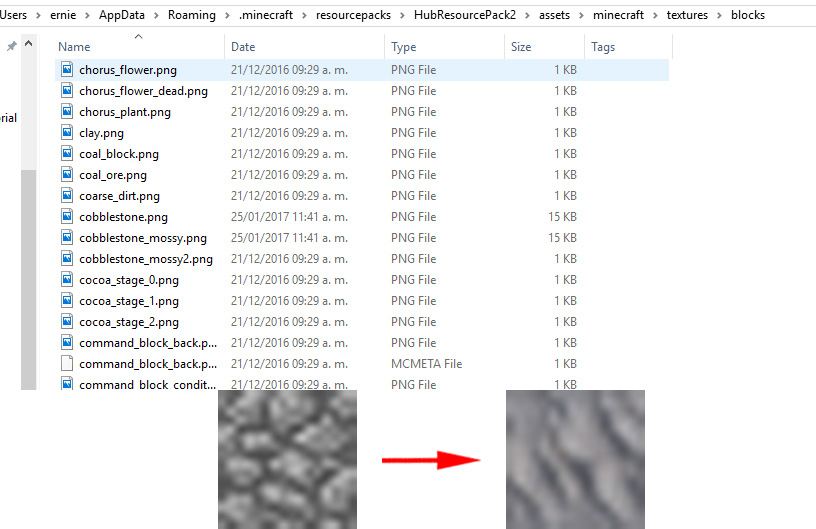
- Go to this folder (where x.x.x is the version you have installed) and change the block textures you need using a image editor.
Windows
“C:\Users\*Username*\%AppData%\Roaming\.minecraft\resourcepacks\Resourcepack folder\assets\minecraft\textures\blocks”
Mac
“~/Library/Application Support/ resourcepacks/Resourcepack/folder/ assets/minecraft/
textures/blocks”
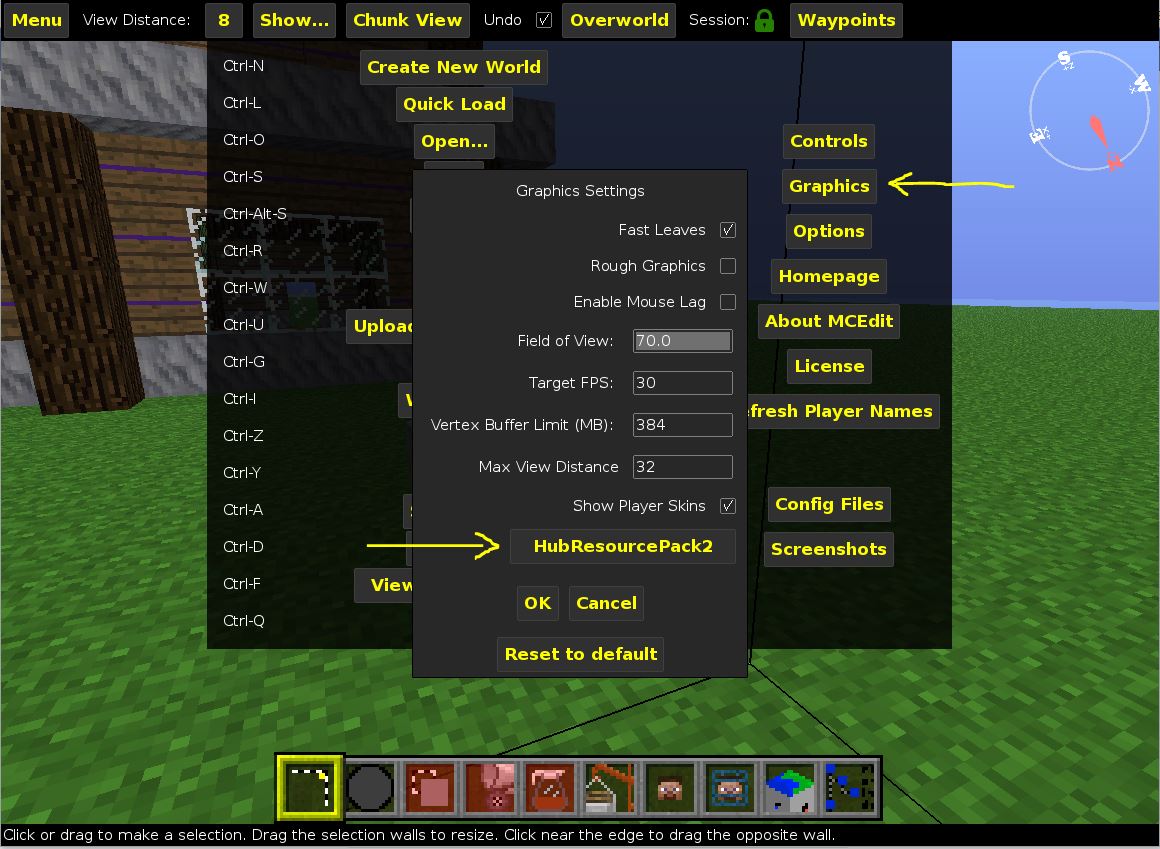
- In MCedit you can change the resource pack in the menu->graphics
if you have a problem you can follow this video on youtube: