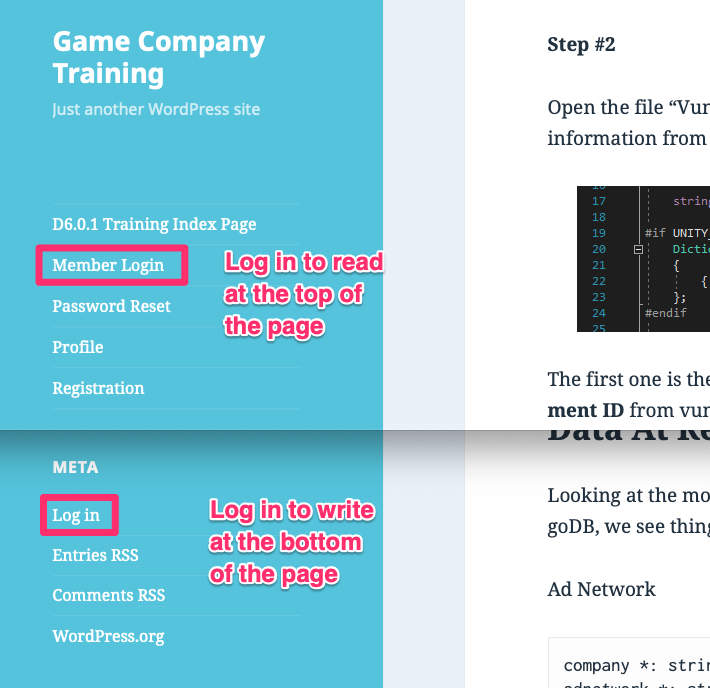
[Note: these instructions need to be tested, but I believe they are correct.]
Before you start, you’ll need to know the person’s name and e-mail address.
To create users in the training blog,
- sign into the training blog with an admin account.
- On the sidebar menu, click on WP Membership -> Members.
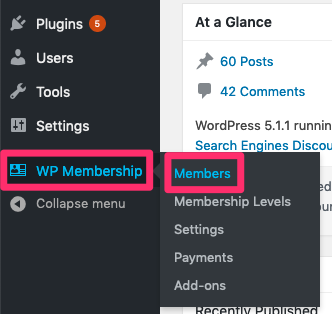
3. Click on the ‘Add New’ button at the top.
4. Fill in the fields as follows:
- the standard username is a user’s first name followed by their last name, with no spaces, all letters in lowercase
- put in ‘changeme’ for the password
- set a membership level. [We don’t use this as much as we used to.]
- fill in the first and last name fields.
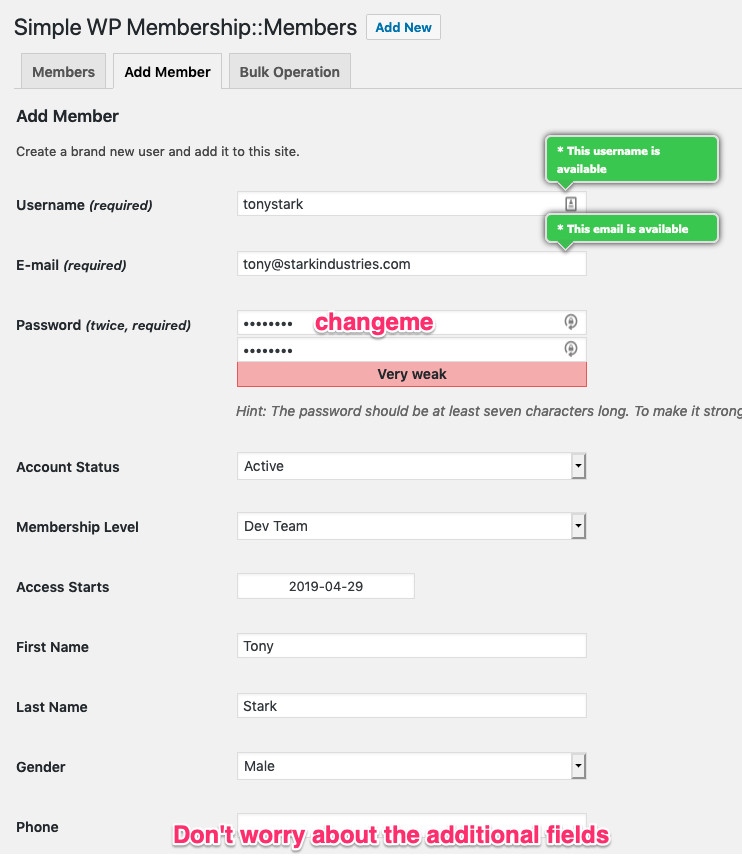
5. Hit the ‘Add New Member’ button at the bottom.
6. Tell the user that they can log in to http://iactivebooks.aeriacanada.com using <username> and <password>, and to then go to http://iactivebooks.aeriacanada.com/wp-admin/profile.php and click on ‘Generate Password’, and ‘Update Profile’.

Note: There seem to be two different places to log in; one that lets you read articles, and one that lets you write articles. It’s annoying!