AdMob Mediation Setup

This document tells how to set up the different ad networks for use with AdMob mediation. It was ‘step 4’ on how to set up AdMob Mediation in you game, but it became way too big so I’ve decide to place it here.

Here are links to the pages.

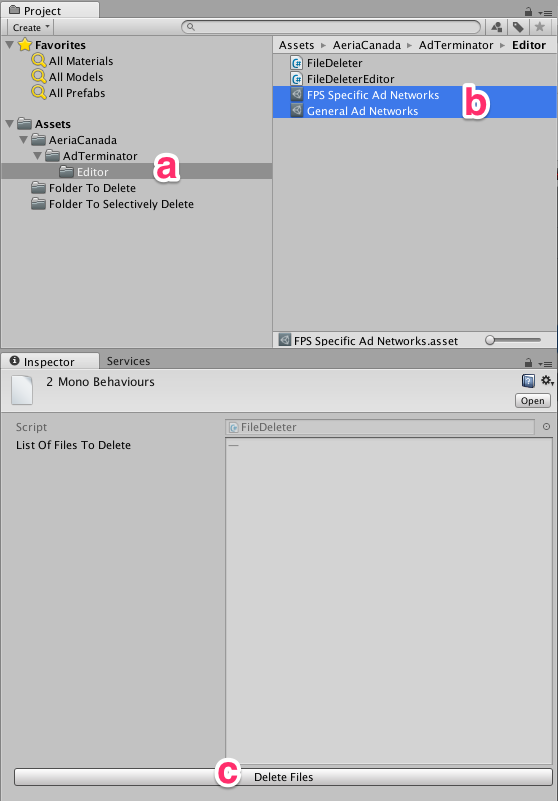
Behold, The Ad Terminator!

(The Ad Terminator lets you delete a list of files and folders from a project easily and fairly painlessly.)

  1. Download The Ad Terminator and install it into your project.
  2. a) Navigate to AeriaCanada/AdTerminator/Editor
    b) Choose one or most lists of assets to delete.
    c) Click on the ‘Delete Files’ button.
  3. Profit!

AdMob Mediation Package

AdMob Mediation Package Instructions

Note: We’ve only tested the AdMob integration on Android.

This post will tell you what you need to know to use the AdMob mediation package.

    At a high level, you will need to:

  1. Remove existing ad integrations from your project.
  2. Add in the AdMob Mediation package
  3. Ask for ads in your application
  4. Installing the mediation package
  5. Set up the ad placements in various networks

Then we have notes on Testing and Dealing with Build Problems.