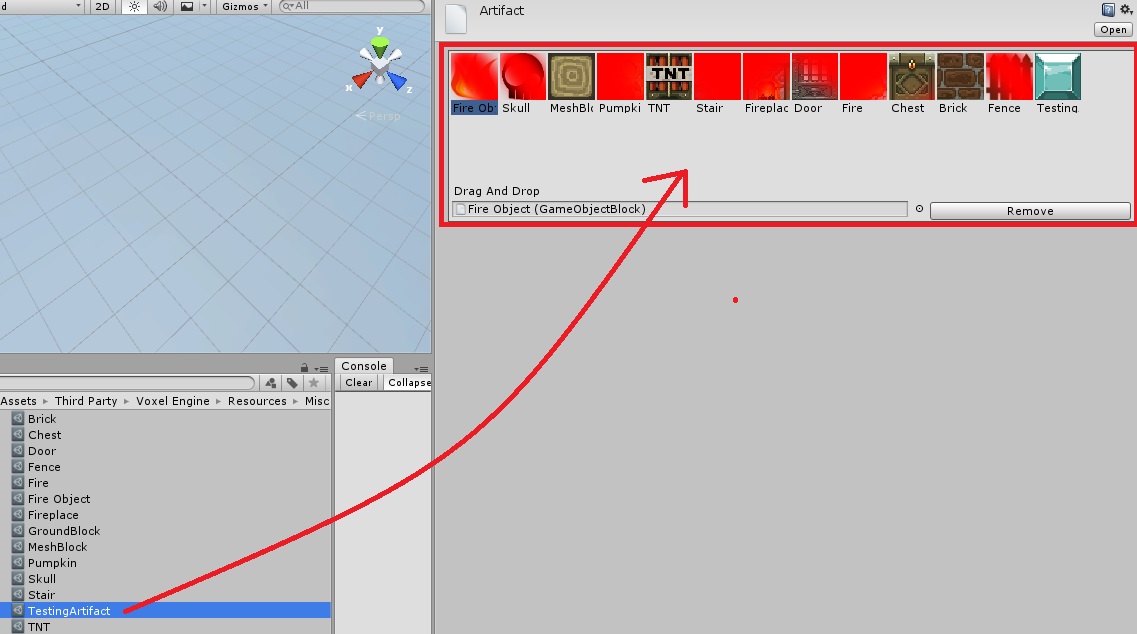
Voxel Engine is a powerful plugin for Unity, that will let us create 3D worlds right away in a Minecraft style, with random terrains.
It is important to know how this terrains are made:
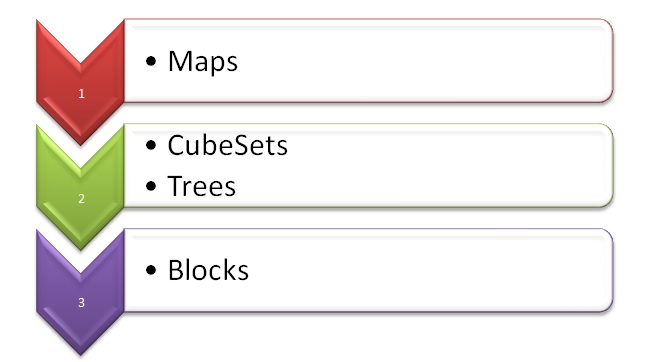
Maps are the terrain itself, they contain the built world in which the player is going to be. They contain CubeSets and Trees. This cubeSets are a group of blocks, for example, if we have a world based on a forest, this group of blocks may be conformed of blocks maybe with textures of grass, dirt and any other fauna. We can create different cubeSets for the same world. In a hierarchy, it will look like this:
 After undestanding this, it’s time to build our own world.
- Creating a Map
**Recommended: Copy prefab of map and modify arrays of blocksets and Flat map arrays**
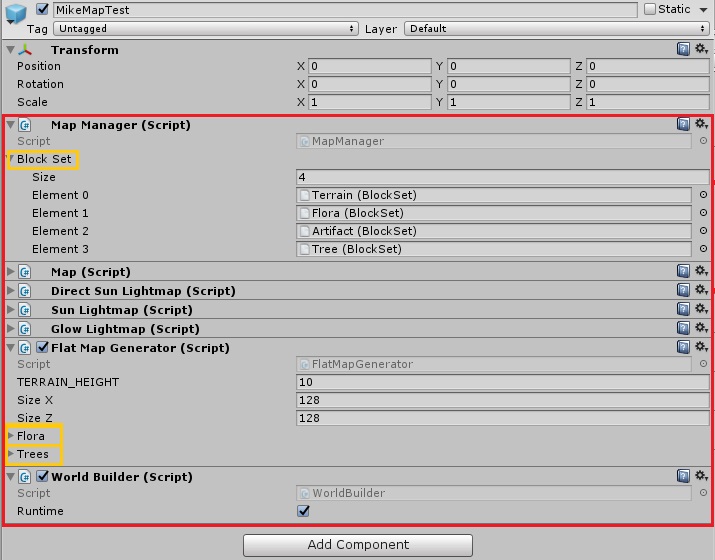
We need to create a new GameObject, and assign it the next scripts:
-Map Manager.cs (and add Blocksets if we already have them)
-Map.sc
-Direct Sun Lightmap.cs
-Sun Lightmap.cs
-Glow Lightmap.cs
-Flatmap Generator.cs (and add Flora and Trees if we have them and want them)
-World Builder.cs
- Creating a CubeSet
To create new cube type:
-Right Click / Create / BlockSet / _Blockset
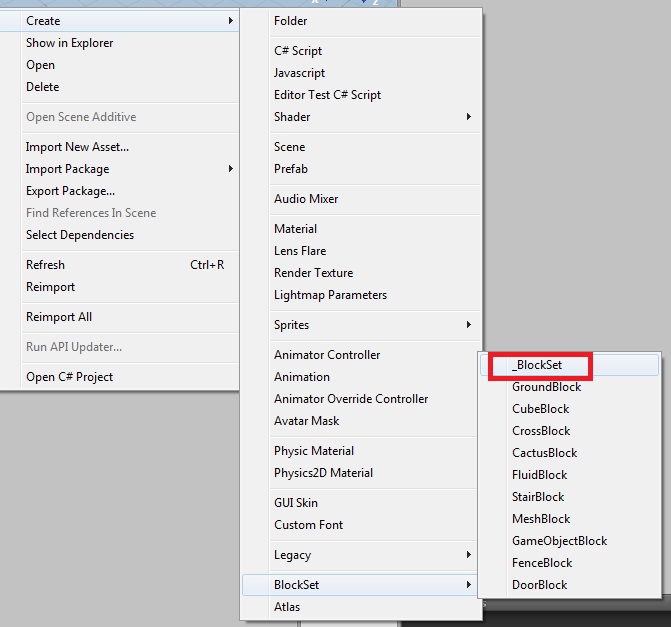
After that, just rename it and fill it with the blocks that you want.
To Assign new cubes set:
-In the map manager, there is an array with the blocksets
-Add a new element and assign your blockSet
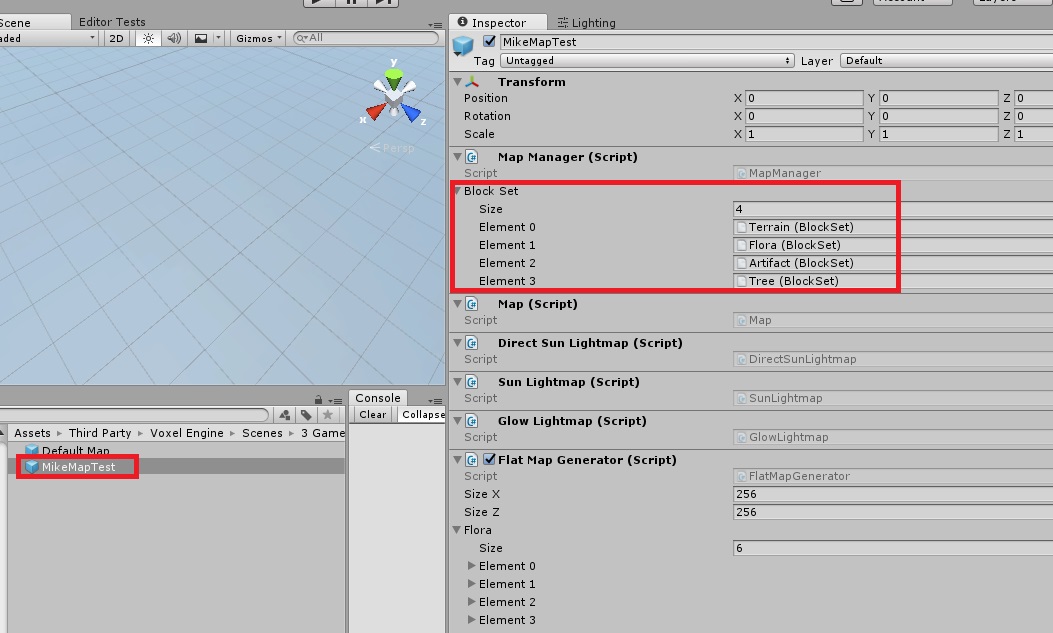
- Creating a Tree
There 5 different types of trees (each one of them is only different in how it is randomly made)
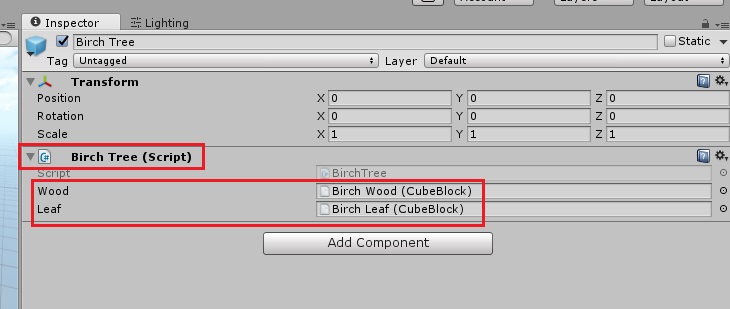
**Recommended: Copy a prefab and change only Wood and leaves**
Create a new Gameobject and assign it ONE of the next scripts:
-BirchTree.cs
-OakTree.cs
-PineTree.cs
-RedTree.cs
-SakuraTree.cs
Then, assign the wood and leaves (this ones should be cubes of type “CubeBlocks” and not normal prefabs).
- Creating Blocks
These Blocks are what is actually going to be visible in the world. For them we need a texture (most properly an Atlas containing many textures), a material, and if we need it, an Icon.
To create new cube type:
-Right Click / Create / BlockSet / and select type of new cube…
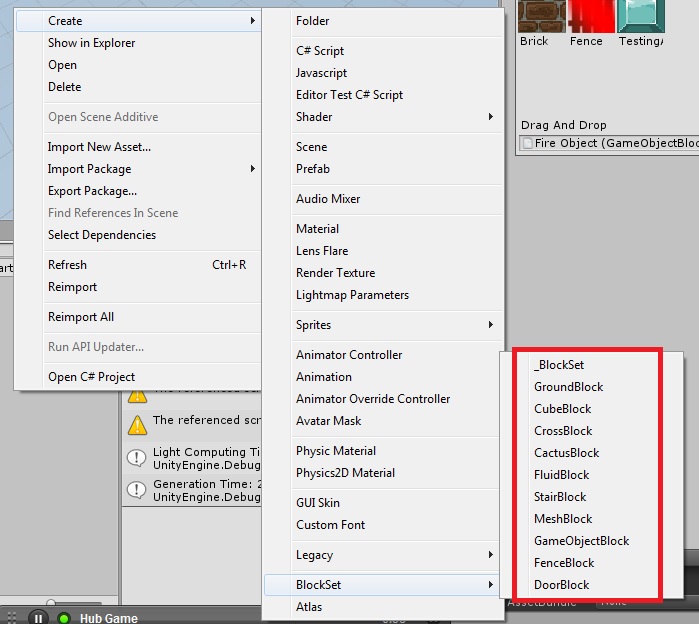
Add Textures:
-Select the newly created cube
-Assign a material
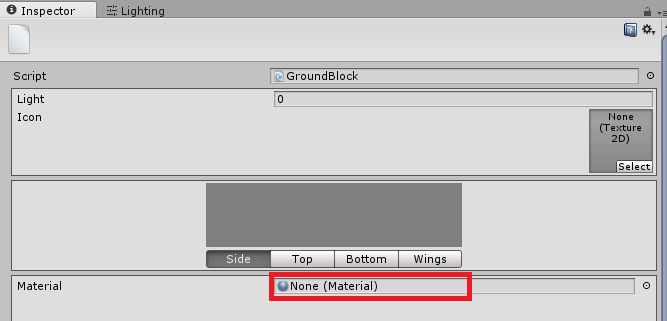
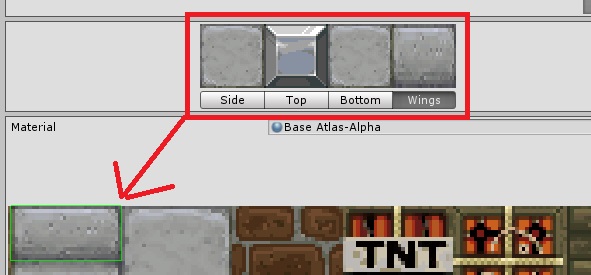
-Assign each of the Corresponding texture elements for each side of the cube by selecting part of the texture the material has.
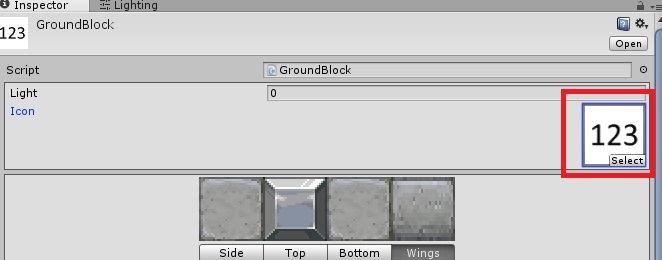
-Add an icon if necessary.
After the Block is complete, we will need to assign it into a CubeSet to be used:
-Go to the BlockSet folder (Assets/Third Party/Voxel Engine / Resources / Blockset) If you want it in another directory, you can have it.
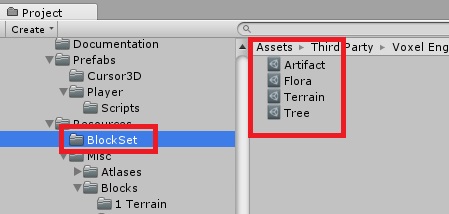
-Select the group where you want to add your new cube
-Add the new cube just by dragging it to the container.