
1 Introduction
This document is intended to be a quick reference sheet when working on audio within a mobile project. Different platforms will have different requirements, though some things (like general practices) stay the same across platforms. This document assumes the project is a mobile project.
2 The File
- File type: Native (WAV) for SFX, .ogg (Ogg Vorbis) for music
- Sample Rate: 22050Hz
- Stereo/Mono: Mono as often as possible.
Some files need to be in stereo (and that’s okay!) but phone speakers aren’t very good, and using stereo on most sound files will be a waste of resources. Use the qualities of the Audio Source within unity if you need to create panning effects etc.
3 Import Settings
Bad import settings are a huge killer for a project’s performance. Don’t underestimate audio’s impact on your game’s performance.
3.1 Load In Background / Preload Audio Data
Load in background is an asynchronous loading method which allows you to load sound files into the scene outside of the main loop. This can help if you’re loading tons of audio clips at the same time.
Preload audio data loads the audio data before the first Awake call in your scene. You can’t unload this file if you preload it.
Use these when it fits the frequency you use the sound, how many sound clips you’re loading, etc etc. If in doubt, just leave both without the tick.
3.2 Music
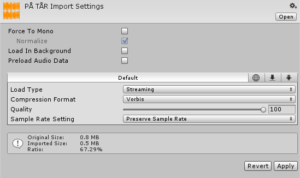
- Load Type: Streaming or Compressed in memory.
Streaming requires very little memory, but requires a little more CPU power and uses disk I/O throughout. NOTE: ONLY USE STREAMING FOR ONE AUDIO FILE IN THE SCENE, OR PERFORMANCE DROPS WILL HAPPEN!
Compressed in memory replaces the need for using disk I/O, but has a memory cost. Reduce the Sound Quality to around 70% if you use this option. - Compression Format: Vorbis.
3.3 Small SFX
Around 1 – 3 seconds long SFX.
3.3.1 Played Frequently
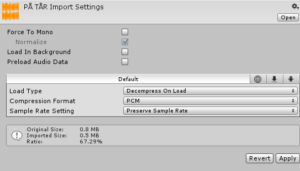
If the SFX is played frequently, use the following import settings:
- Load Type: Decompress on load
- Compression Format: PCM or ADPCM. PCM requires no decompression and is therefore faster, ADCPM requires decompression.
3.3.2 Played Infrequently
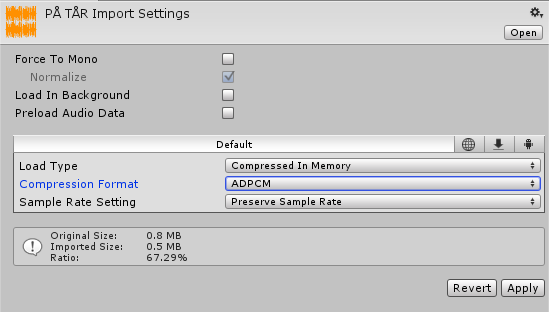
If the SFX is played infrequently, use the following import settings:
- Load Type: Compressed in memory
- Compression Format: ADPCM. ADPCM is about 3.5 times smaller than PCM, and requires less CPU power to decompress.
3.4 Medium SFX
Around 3 – 8 seconds long SFX.
3.4.1 Played Frequently
If the SFX is played frequently, use the following import settings:
- Load Type: Compressed in memory
- Compression Format: ADPCM. ADPCM is about 3.5 times smaller than PCM, and requires less CPU power to decompress.
3.4.2 Played Infrequently
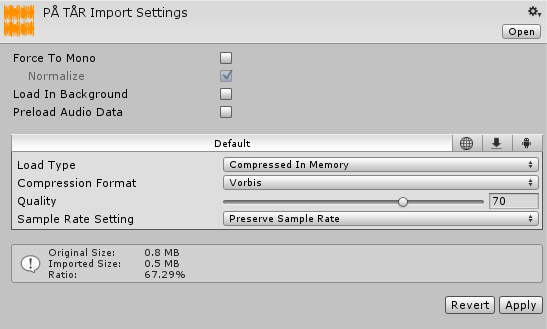
If the SFX is played infrequently, use the following import settings:
- Load Type: Compressed in memory
- Compression Format: Vorbis. File might be too long and played too infrequently to warrant ADPCM, so the additional CPU power to decompress isn’t that big of an issue.