
Create Cascade System SpreadSheet
- Go to this URL.
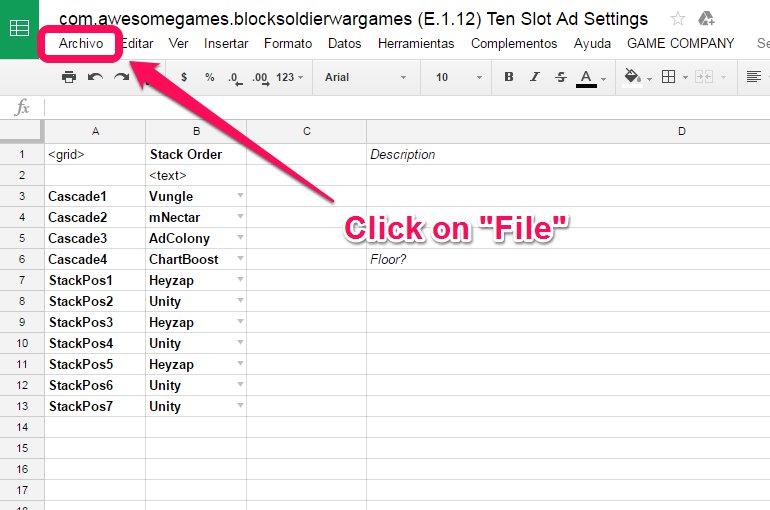
- Click on “File” -> “Create a copy”

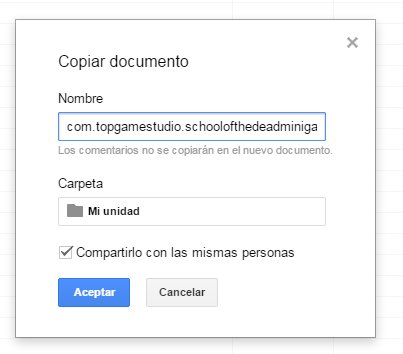
3. Set the name with the Bundle ID and the code version of the game + Ten Slot Ad Settings string , example: “com.topgamestudio.schoolofthedeadminigame (C16.4) Ten Slot Ad Settings“, click on “Accept” button.
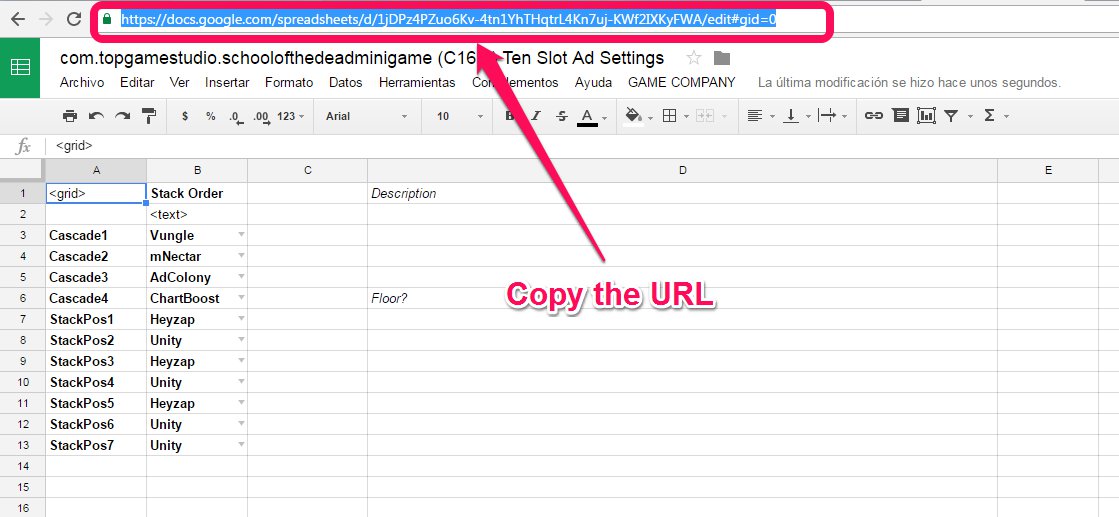
4. Copy the URL.
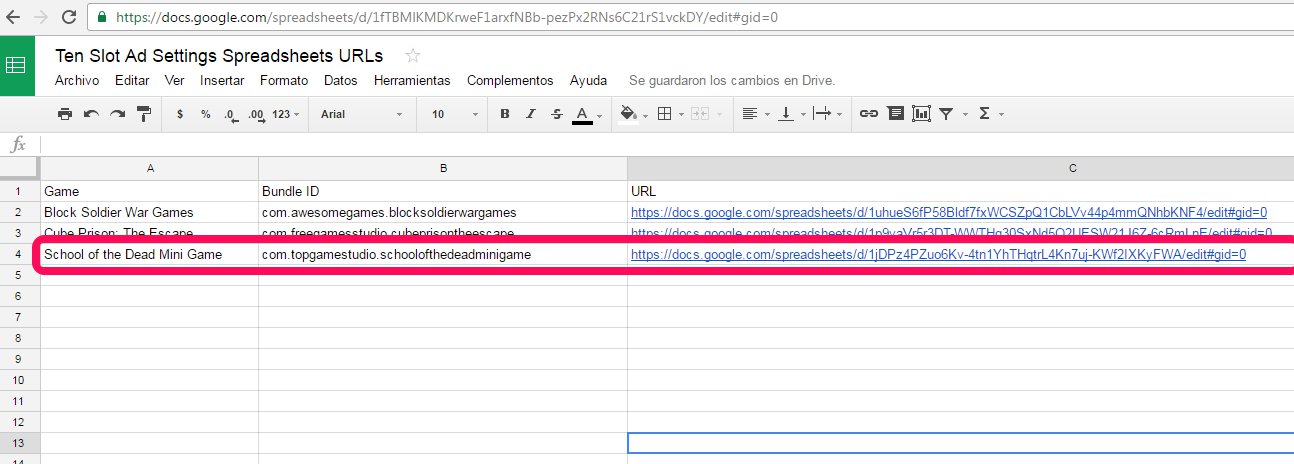
5. Open this document.
6. Fill the fields (Game name, BundleID), and paste the URL in the URL field.
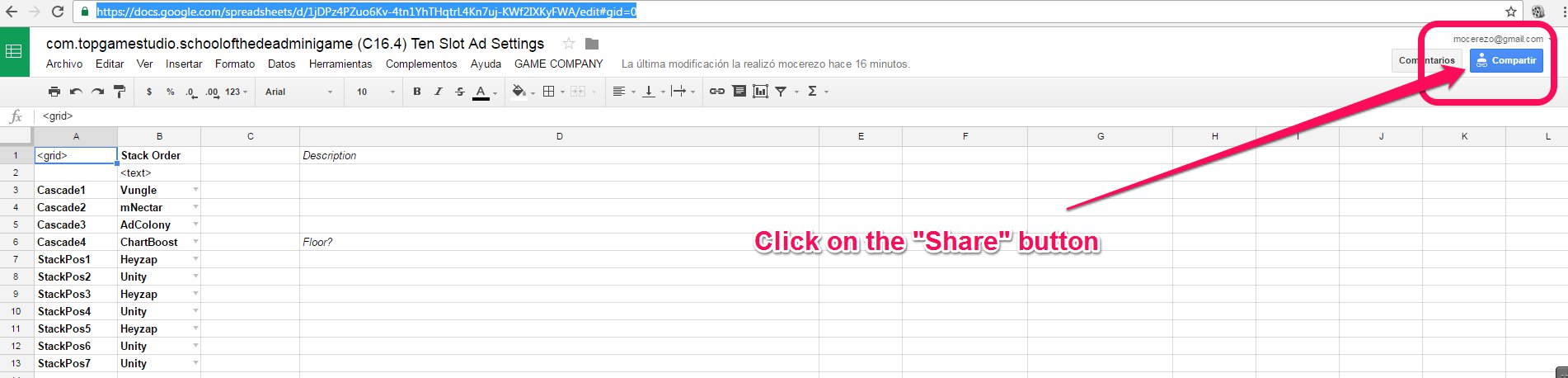
7. Return to the game spreadsheet and click on the “Share” button.
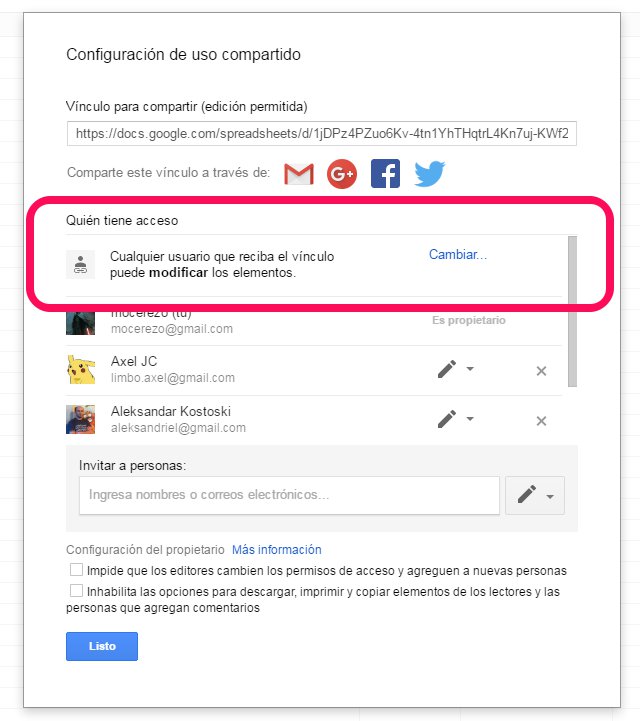
8. Be sure that anyone with the link can edit, then click on “Ok” button.
9. Click on “GAME COMPANY” -> “Upload Monetization Choices”.

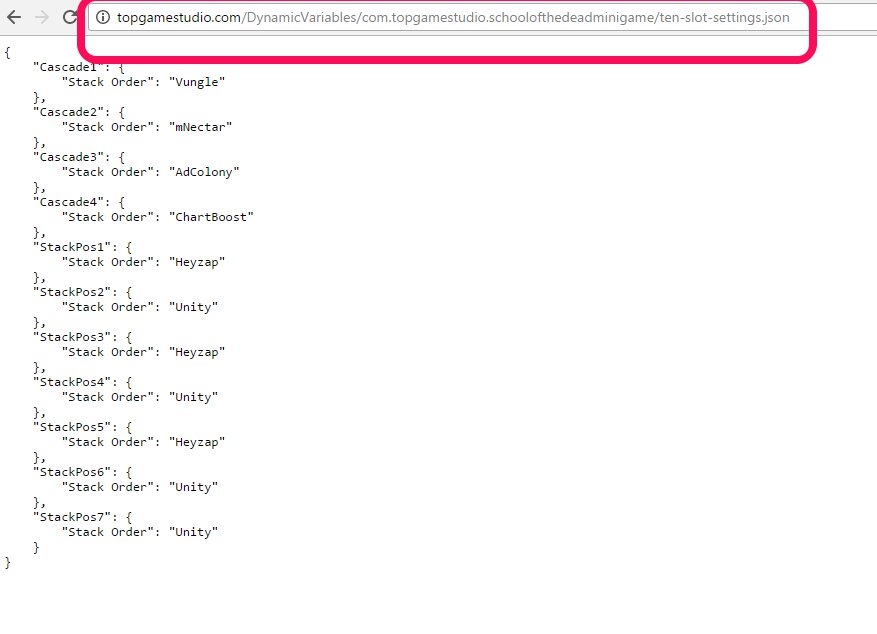
10. You need to check if the Cascade JSON list was created: Copy this URL (http://topgamestudio.com/DynamicVariables/#/ten-slot-settings.json) and replace the # with your BundleID.
Example: http://topgamestudio.com/DynamicVariables/com.topgamestudio.schoolofthedeadminigame/ten-slot-settings.json
11. Paste it in your browser, and check if the Json file exists.
12. Congratulations!!.