Add Admob placement to the Cascade SpreadSheet
- Open your game spreadsheet, you can find the URL on this document
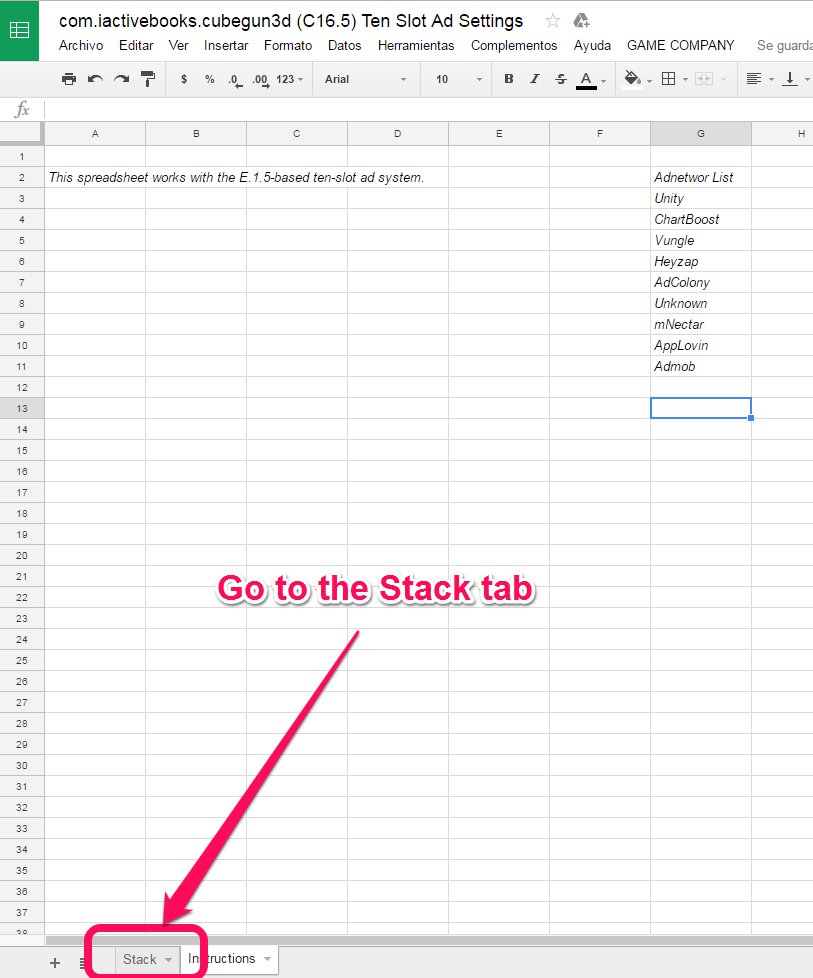
- Go to the Instructions tab.
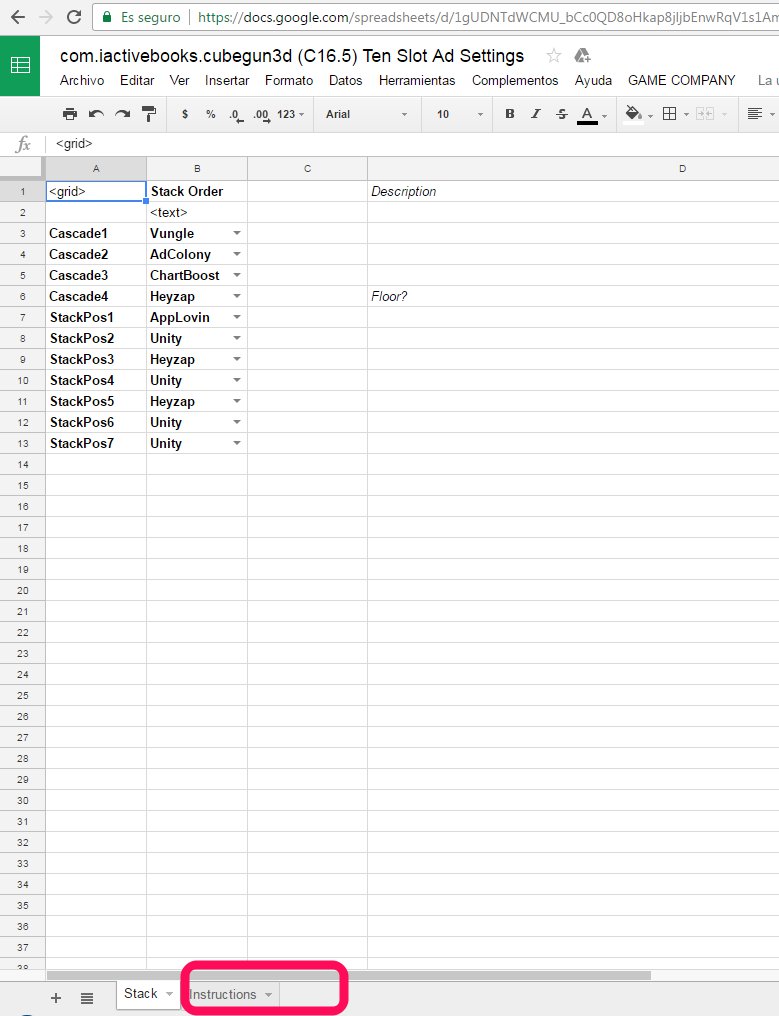
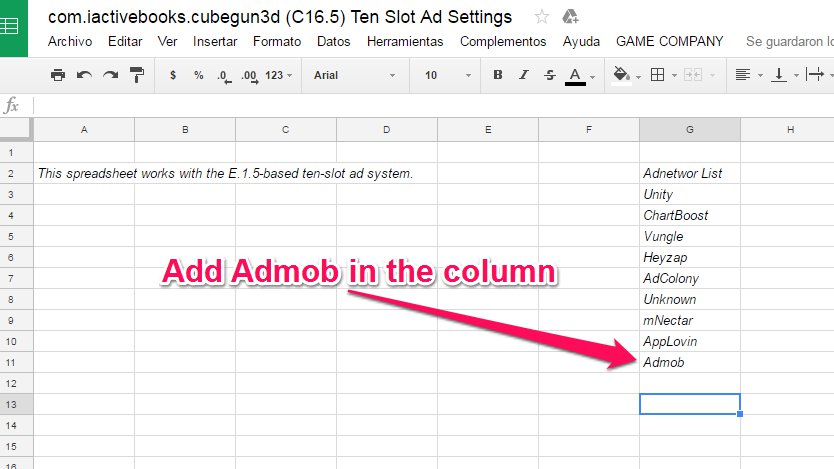
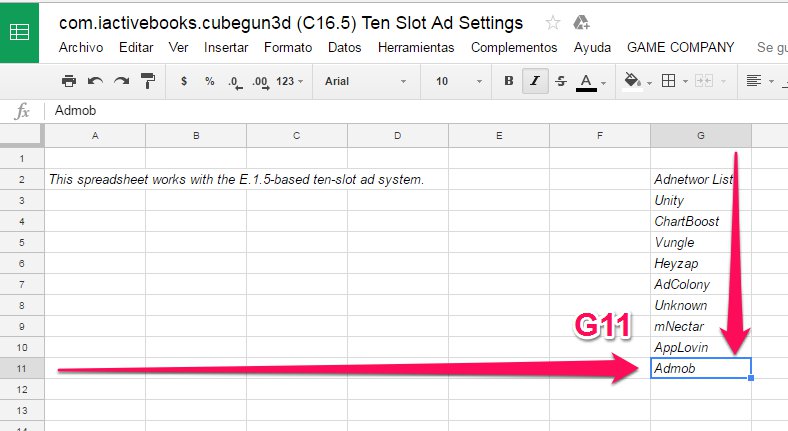
3. Add Admob to the column.
4. Go to the Stack tab.
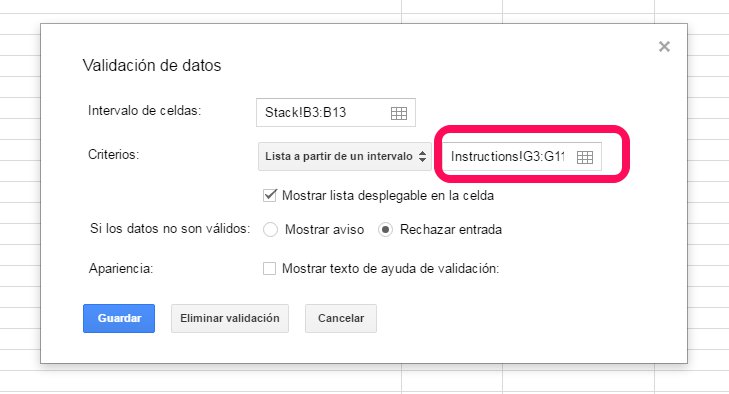
5. Select from B3 to B13

6. Right click on the first item and select “Data validation”.

7. Change the interval to G3:G11 and click on “Save” button
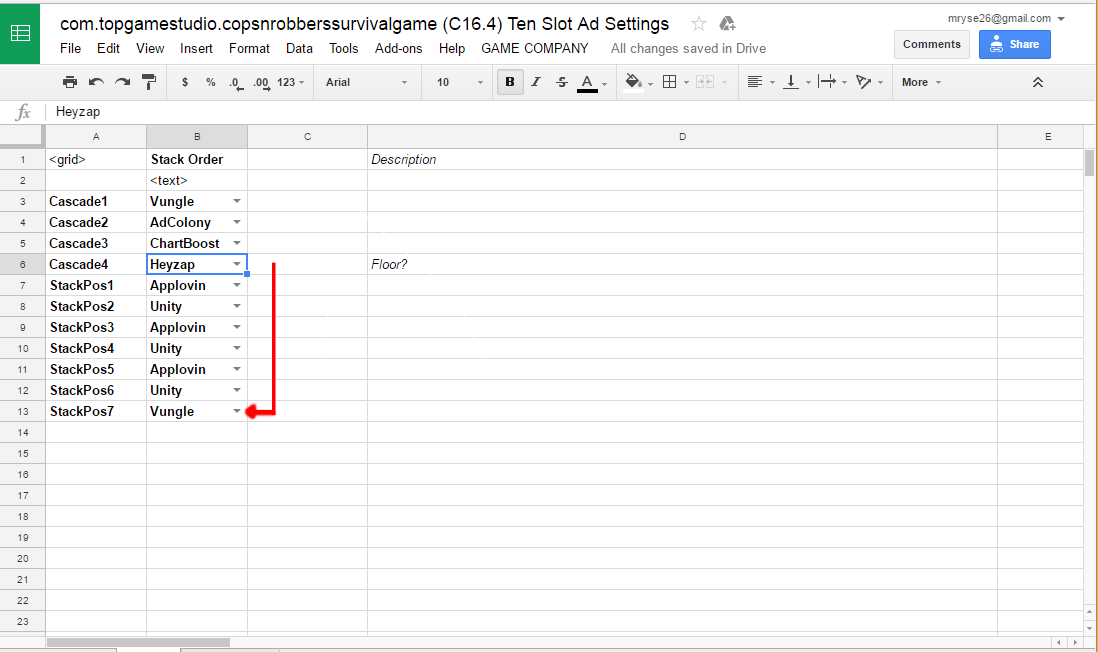
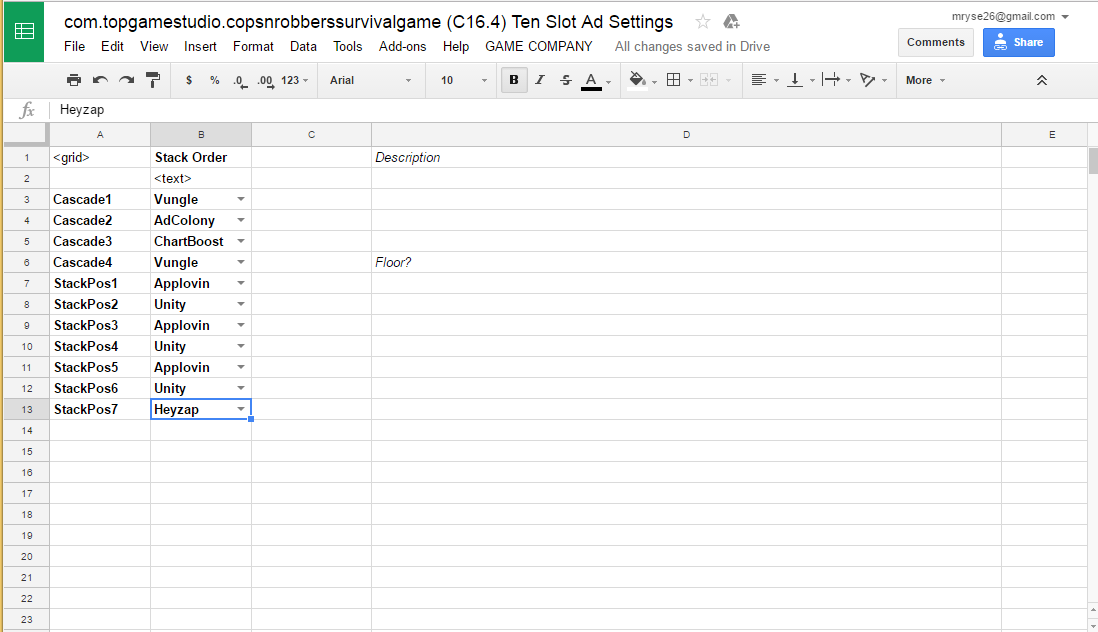
8. Set the 10-slot placement order like the image:
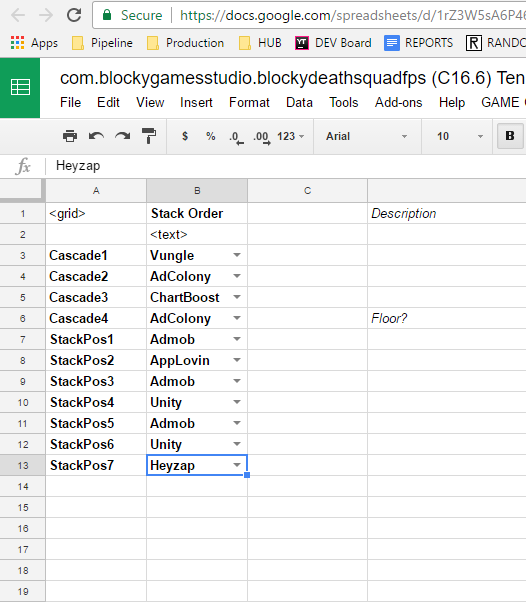
- Heyzap should always be the last adnetwork on the whole list.
9. Click on GAME COMPANY -> Upload Monetization Choices”

10. That’s all.
*For the games that don’t have Admob Integration, you should set Heyzap at the end of the cascade list as always; and if you see mNectar adnetwork on the list, make sure to replace it with any other adnetwork except Heyzap.