
Purpose
- explains how to set up AppLovin ads for a game where the advertising is controlled by Heyzap mediation
- part in a series of articles
Applicability
This applies to you if you’ve been tasked with updating an existing project to use the Heyzap mediation features.
Videos
https://youtu.be/KD24slVGndg
https://youtu.be/XKFSNJtoaDY
Written Instructions
Sign in to Heyzap, find your game, go to the App-specific mediation settings, and find the AppLovin section. Expand it.
It has links and instructions for finding the API key and report key. Click on the link, and sign in to Blockyverse AppLovin account. You can also find these keys in Ad networks Master file too.
Save the information. Don’t turn it on until you are ready to test or have published it.
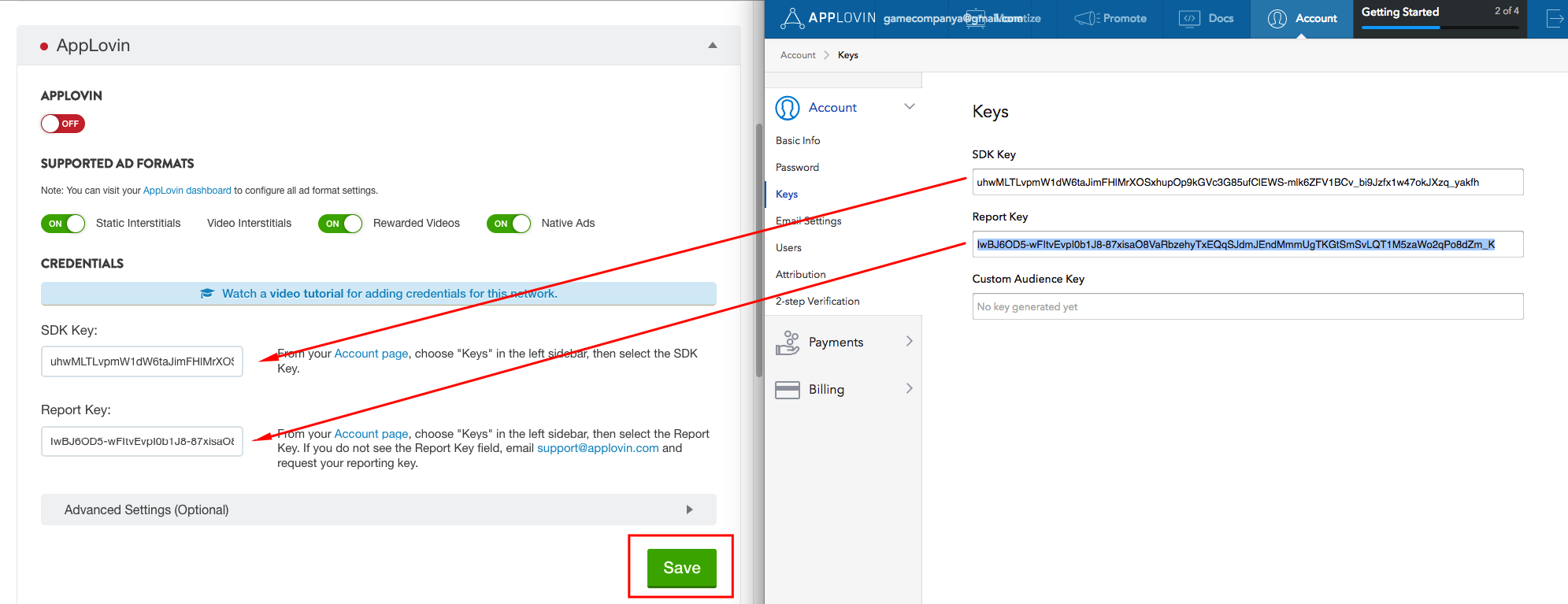
Setup, Part 2
You have to run the app and watch some app lovin ads. (See the ‘Next’ step, below).
Then, bring up the AppLovin dashboard, find your game, and turn on rewarded ads.