
Purpose
- explains how to set up Ad Colony ads for a game where the advertising is controlled by Heyzap mediation
- part in a series of articles
Applicability
This applies to you if you’ve been tasked with updating an existing project to use the Heyzap mediation features.
Video
https://youtu.be/2aKERQe5e-4
Written Instructions
Log in to Heyzap and find your game. Go to the app-specific mediation settings and expand the ‘AdColony’ area.
Log in to AdColony and find your game.
Make sure you have a placement for the (Non-rewarded) Interstitial zone, and a placement for the Incentivized zone.
I thought about reusing existing ones, and I don’t see that it would hurt, but I’ve opted to create new ones, as in the video.
Interstitial Zone
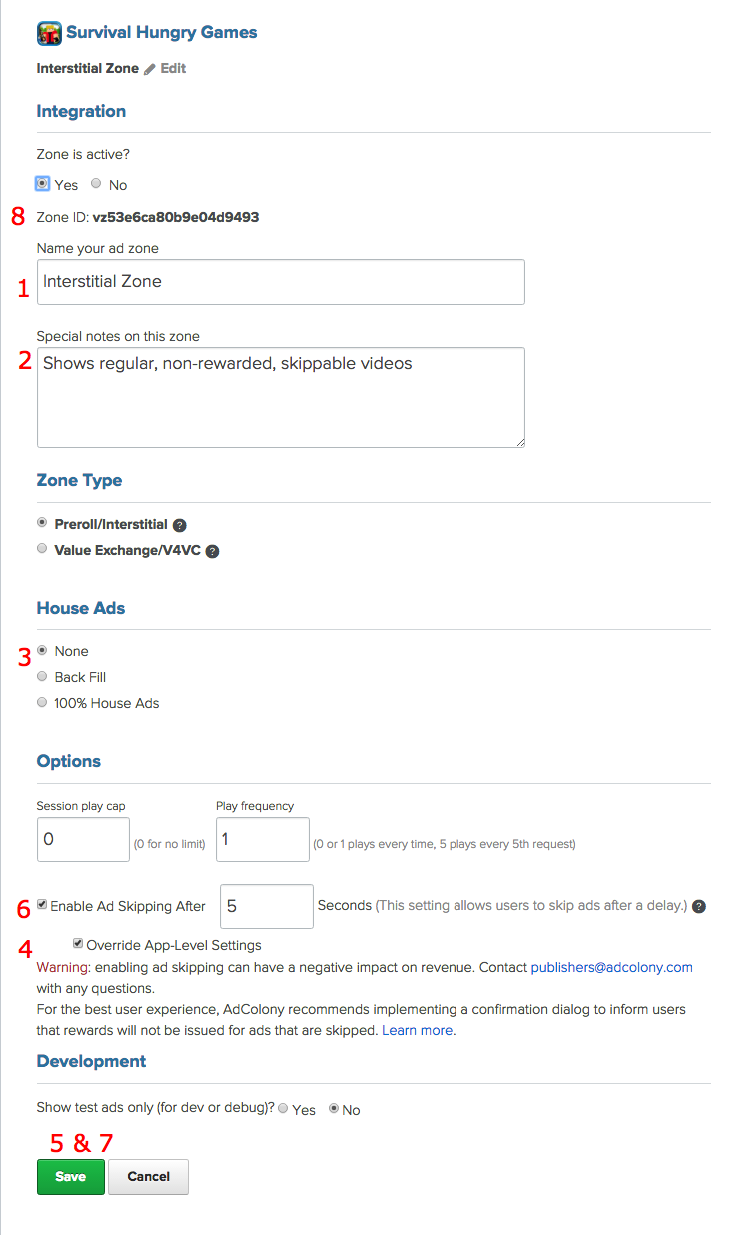
I created a new interstitial zone, and 1) set the name, 2) added a comment, 3) avoided the use of house ads, 4) overrode the app-level settings, 5) saved, 6) enabled ad skipping after 5 seconds, 7) saved again and 8) copied the Zone ID to Heyzap.
Also, set ‘Show Test Ads Only’ (at the bottom) to ‘No’.
Incentivized Zone
In the video, I repurposed the death zone. Here, I created a new zone. Do whichever you prefer.
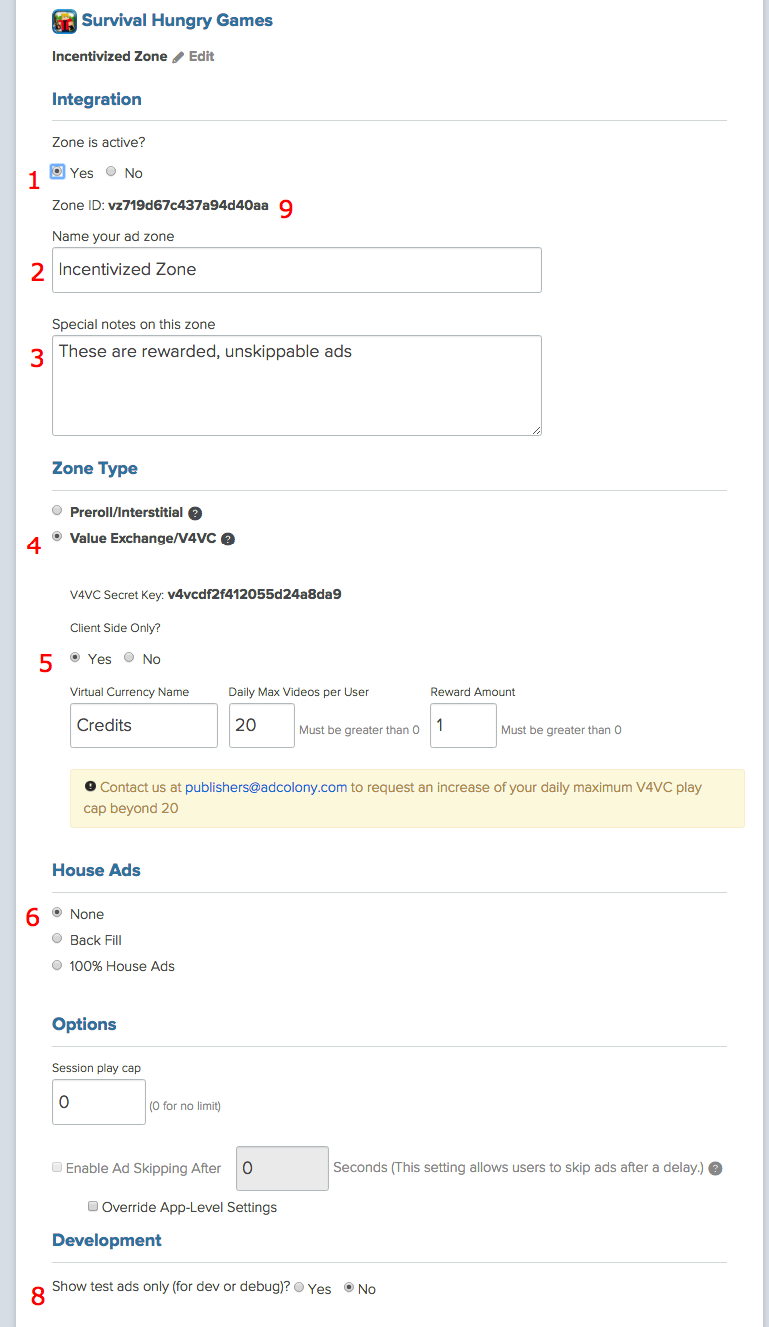
I made sure that 1) the zone is active, 2) set a name and 3) a comment (optional), 4) chose the V4VC (rewarded) ads, and made them 5) client-side-only, 6) turned off house-ads, 7) there is no seven, 8) turned off test ads, 8.5) saved the settings, and 9) copied the zone ID to the heyzap dashboard.
Final Steps
Finally, get the App ID, and the API Key, according to the directions on the Heyzap page. (The API key was already set correctly for me).
Save the settings. Don’t turn them on yet.