
Purpose
- explains how to set up Admob ads for a game where the advertising is controlled by Heyzap mediation
- part in a series of articles
Applicability
This applies to you if you’ve been tasked with updating an existing project to use the Heyzap mediation features.
Written Instructions
Note: As Admob is associated with Google, you should use VM to access Admob. You can contact the Production manager if you don’t have access for VM.
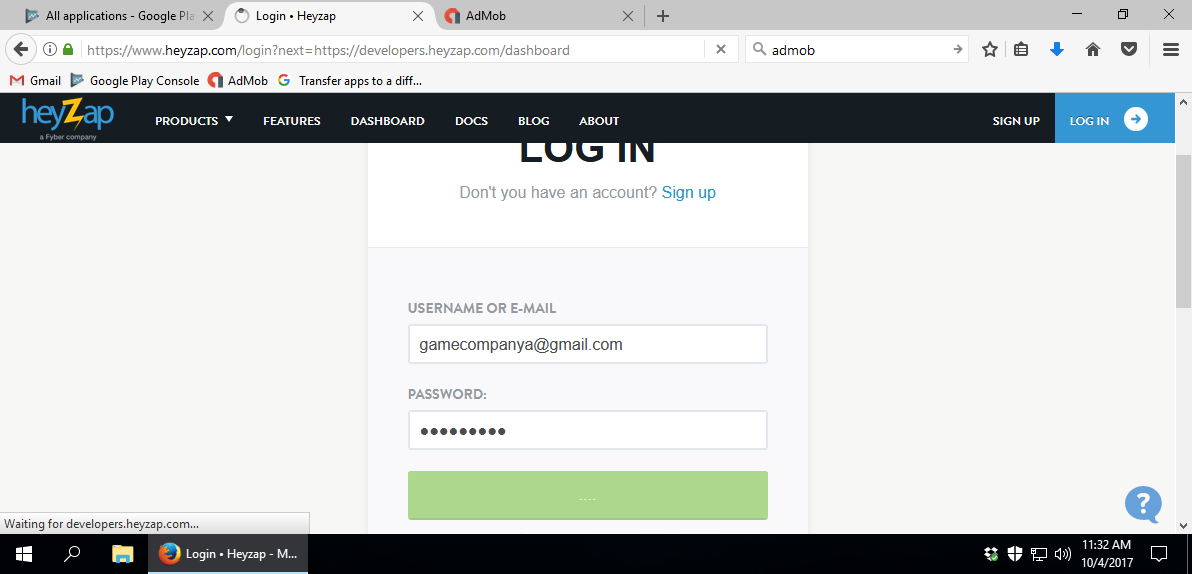
When you link Admob ids first time with Heyzap, you should also log in Heyzap the same Virtual Machine where you logged in for Admob.
Log in to Heyzap with correct company (A, B, C & E) and find your game.
Go to the app-specific mediation settings and expand the ‘Admob’ area.
Log in to Admob and in this page, you will be getting Publisher ID. You can also get publisher id from Ad Networks Master file.
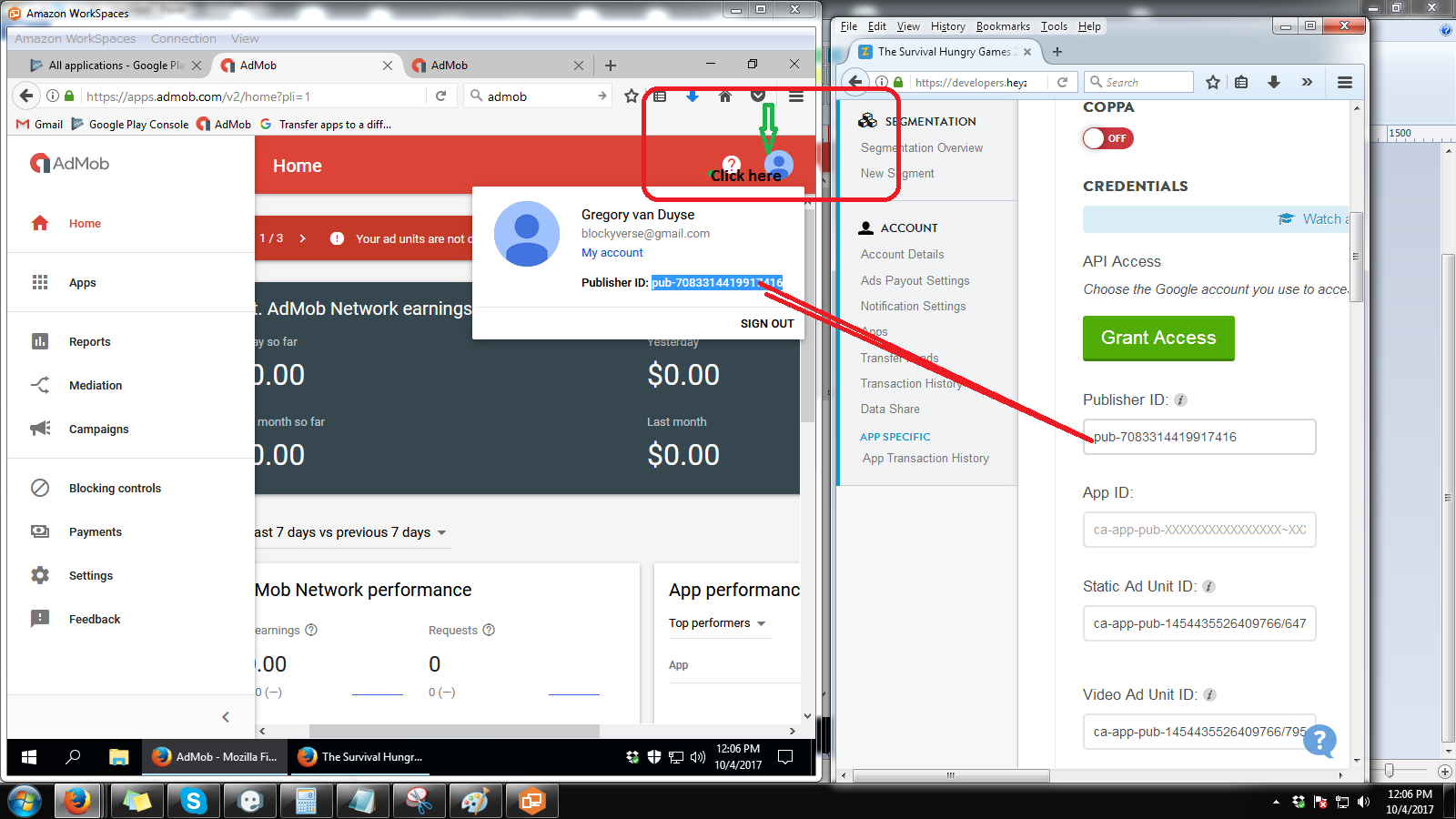
This is very important step. Make sure you have logged in with Ad mob and Heyzap in the same browser on VMS to do the following step. If you don’t do this, publisher id cannot be applied and admob ads will not work properly.
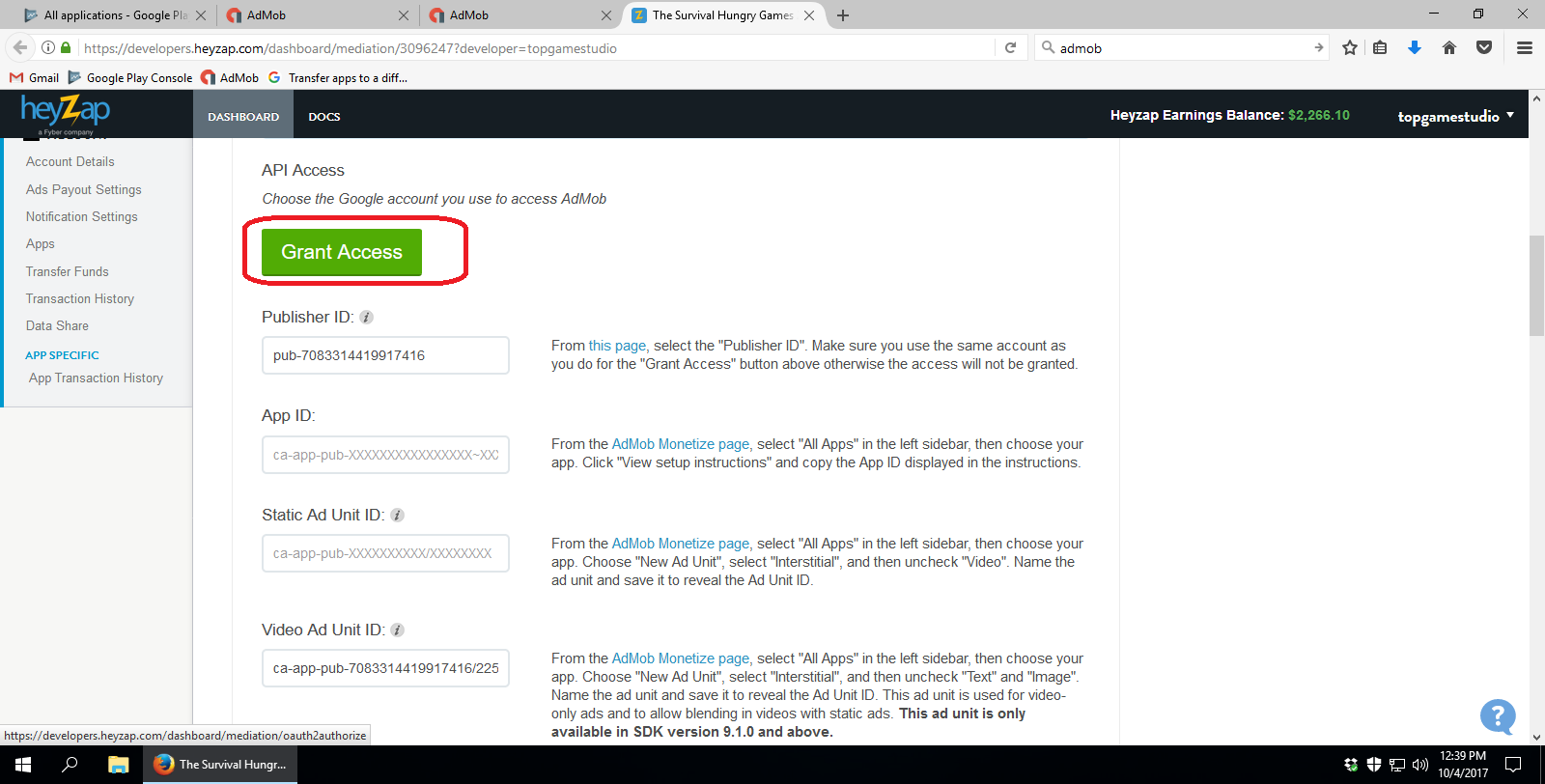
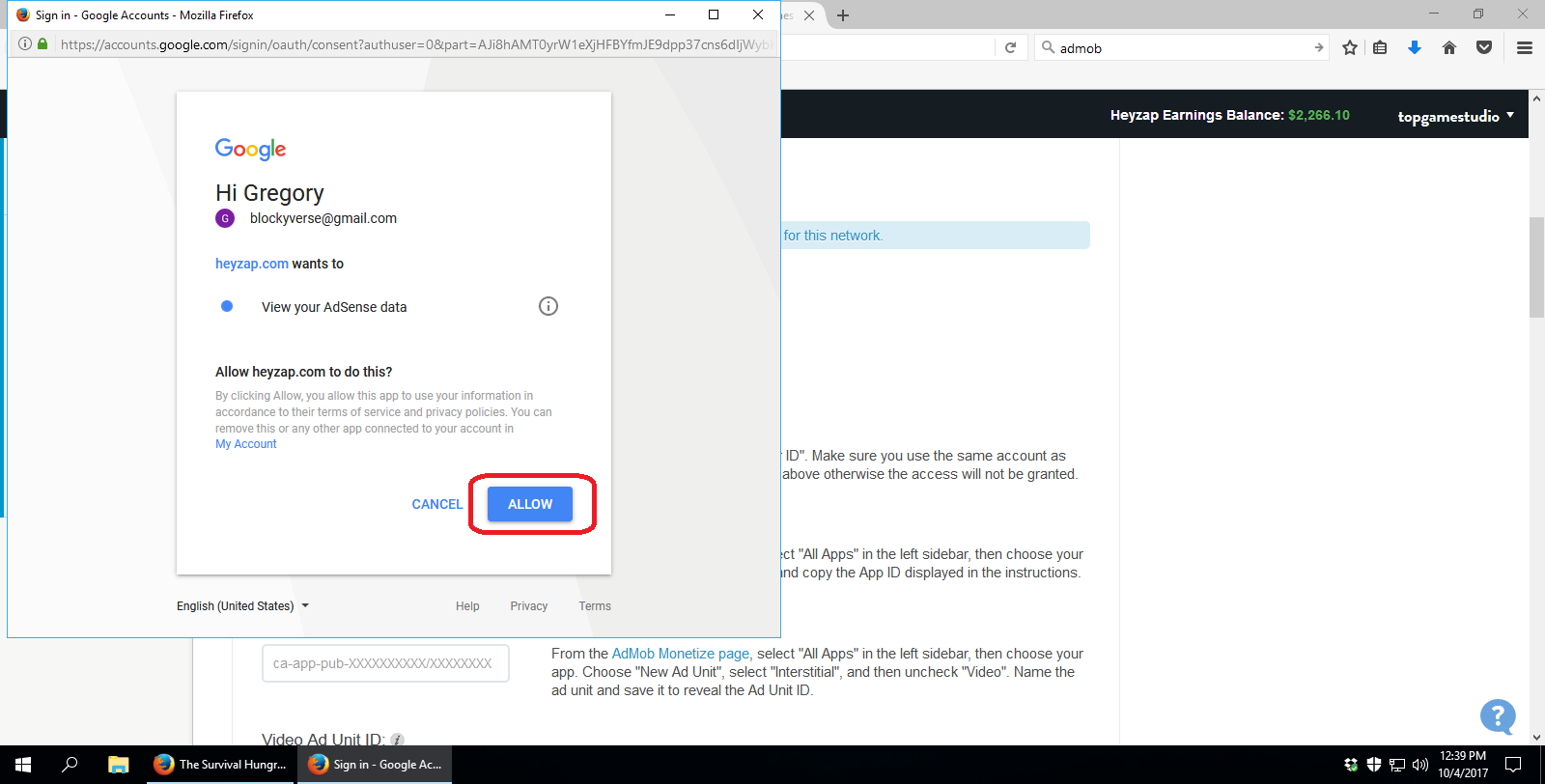
After you placed the publisher id, you should click on “Grant Access” Button on Heyzap.
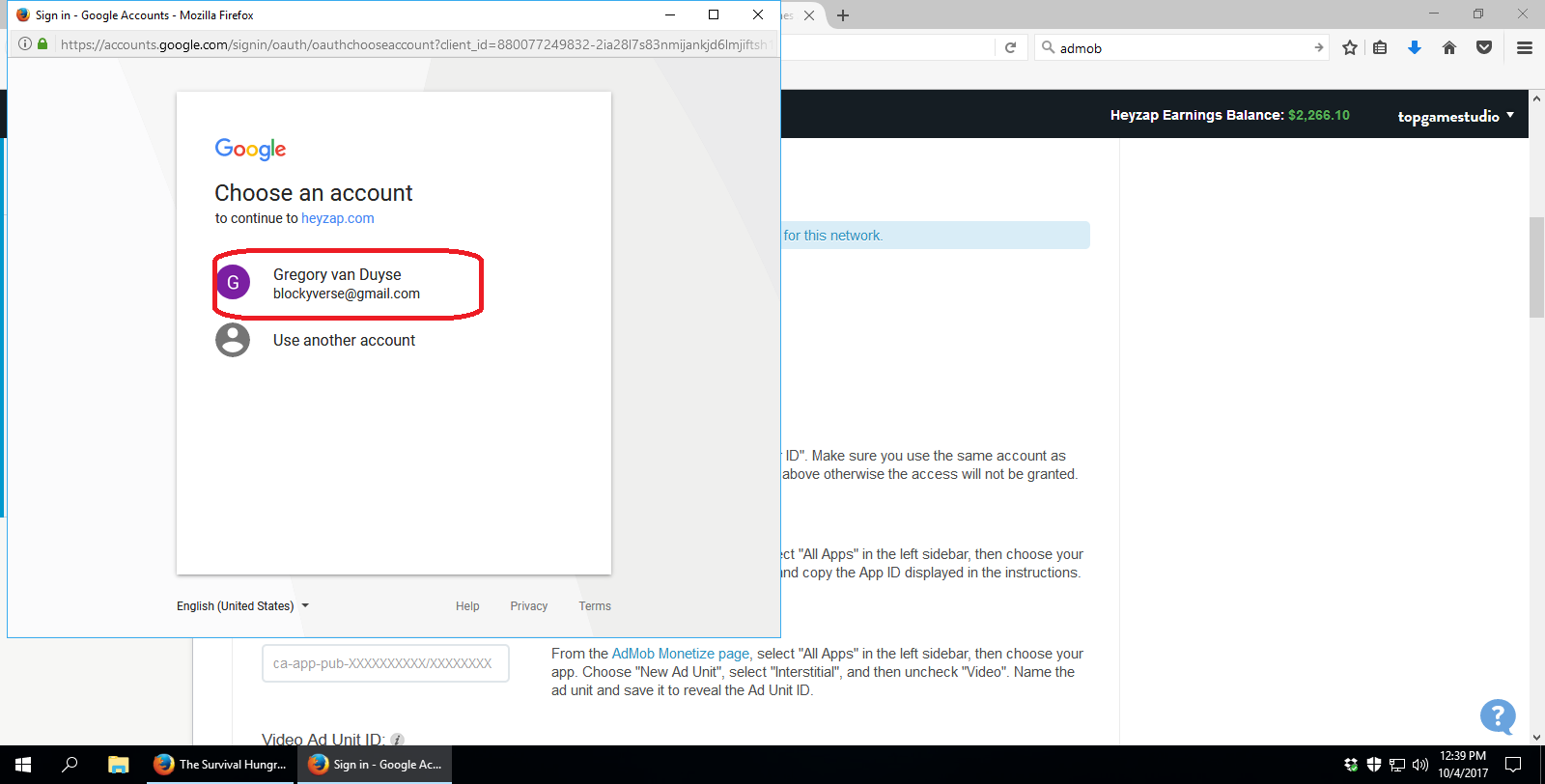
Choose Blockyverse account from the pop up window.
Click Allow.
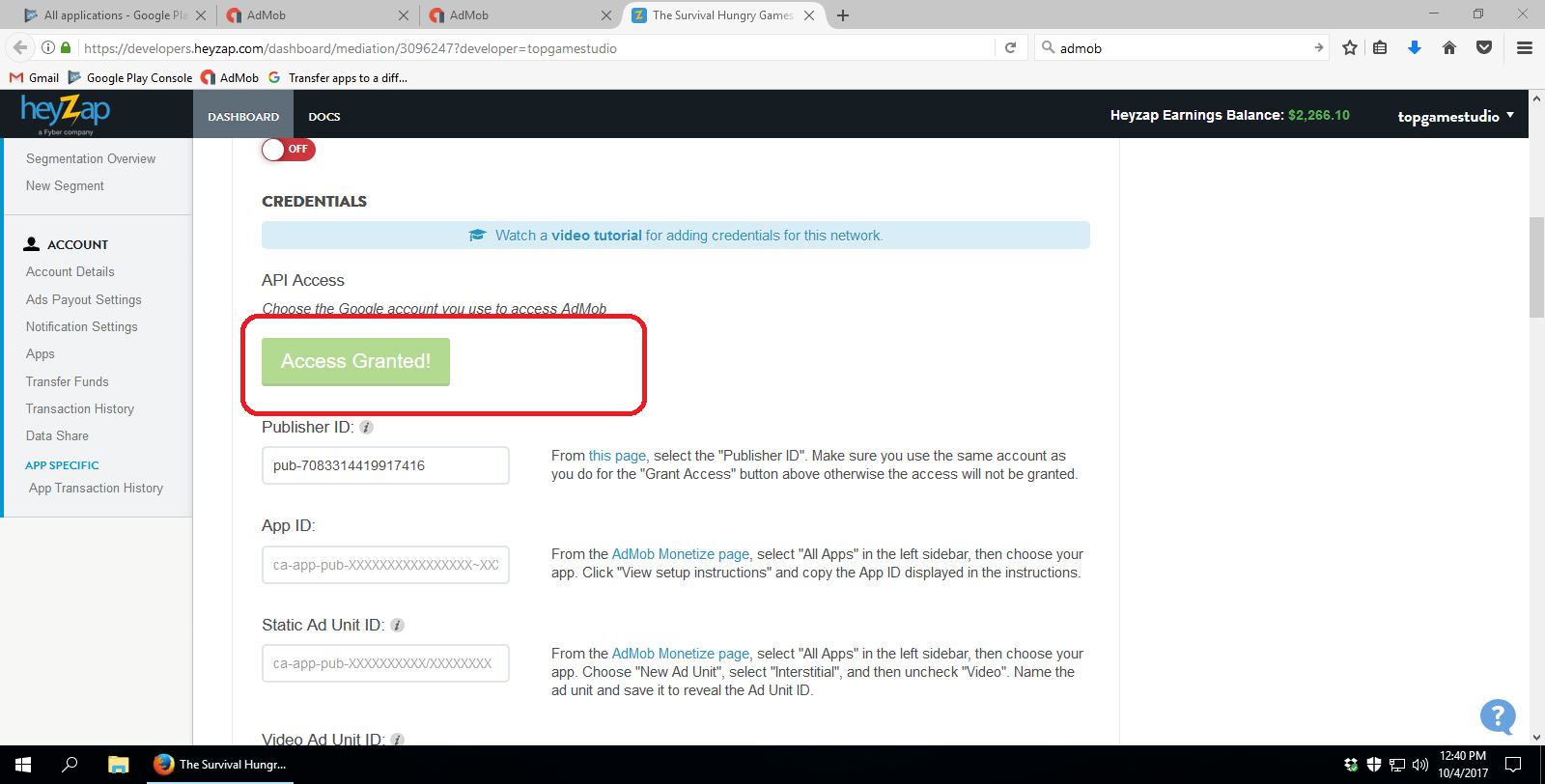
Once you done this step, you should see “Access Granted” button on Heyzap.
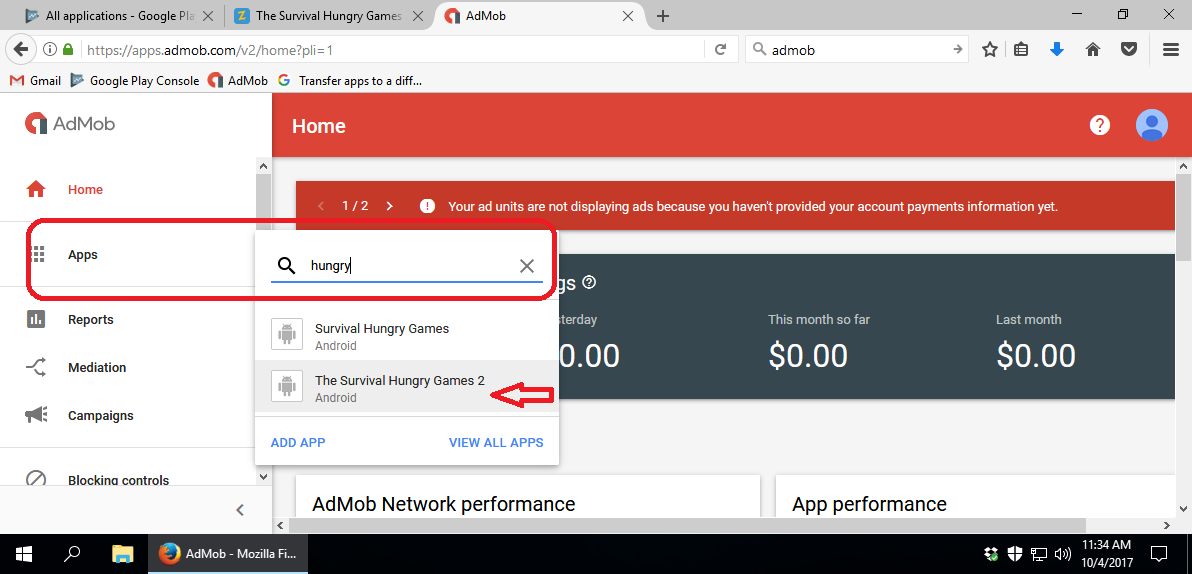
Now find your game from Apps on Admob.
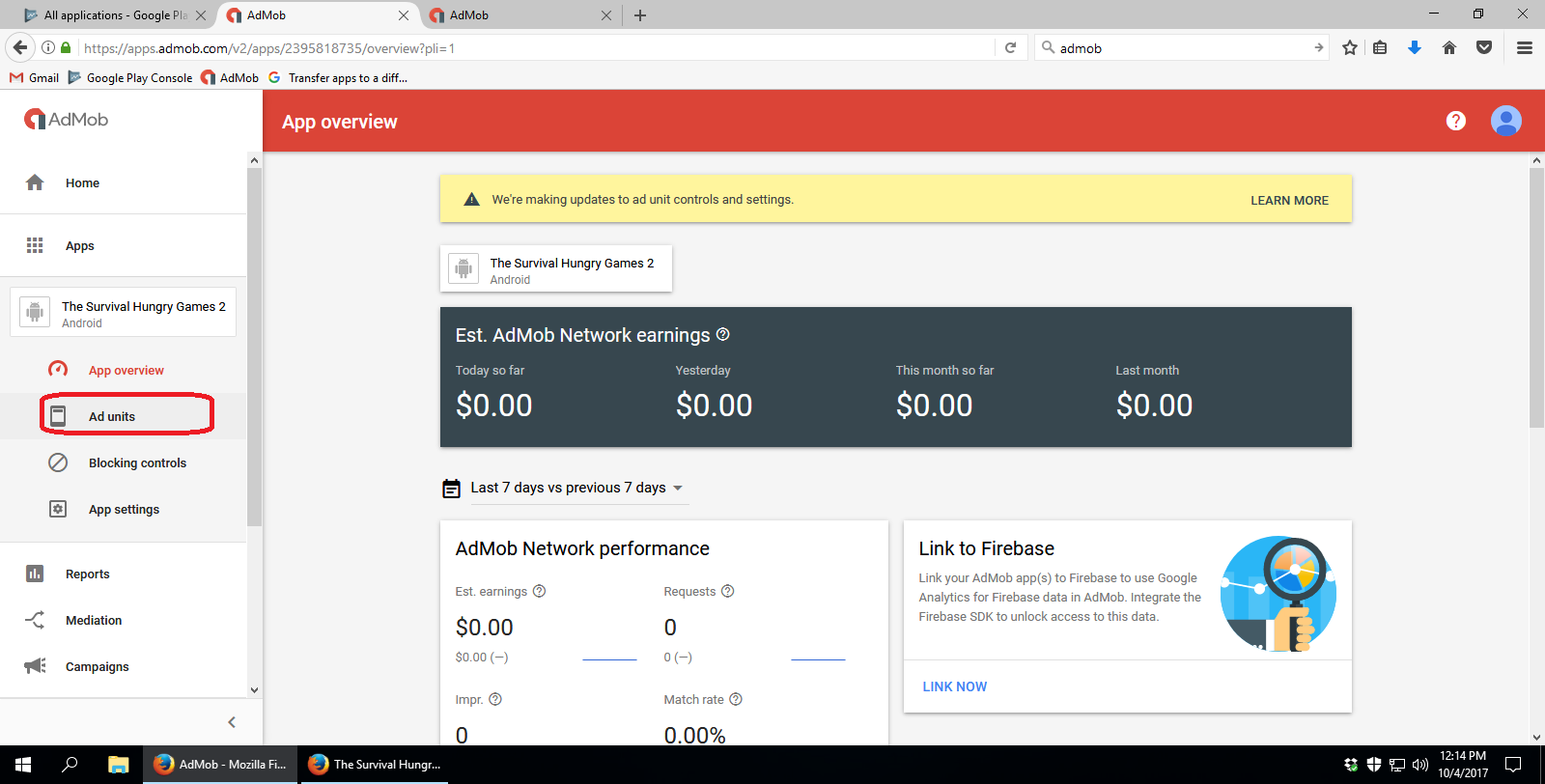
Click on Ad units.
Note:
Make sure you have the ad units for the (Non-rewarded) Interstitial, and for the Rewarded.
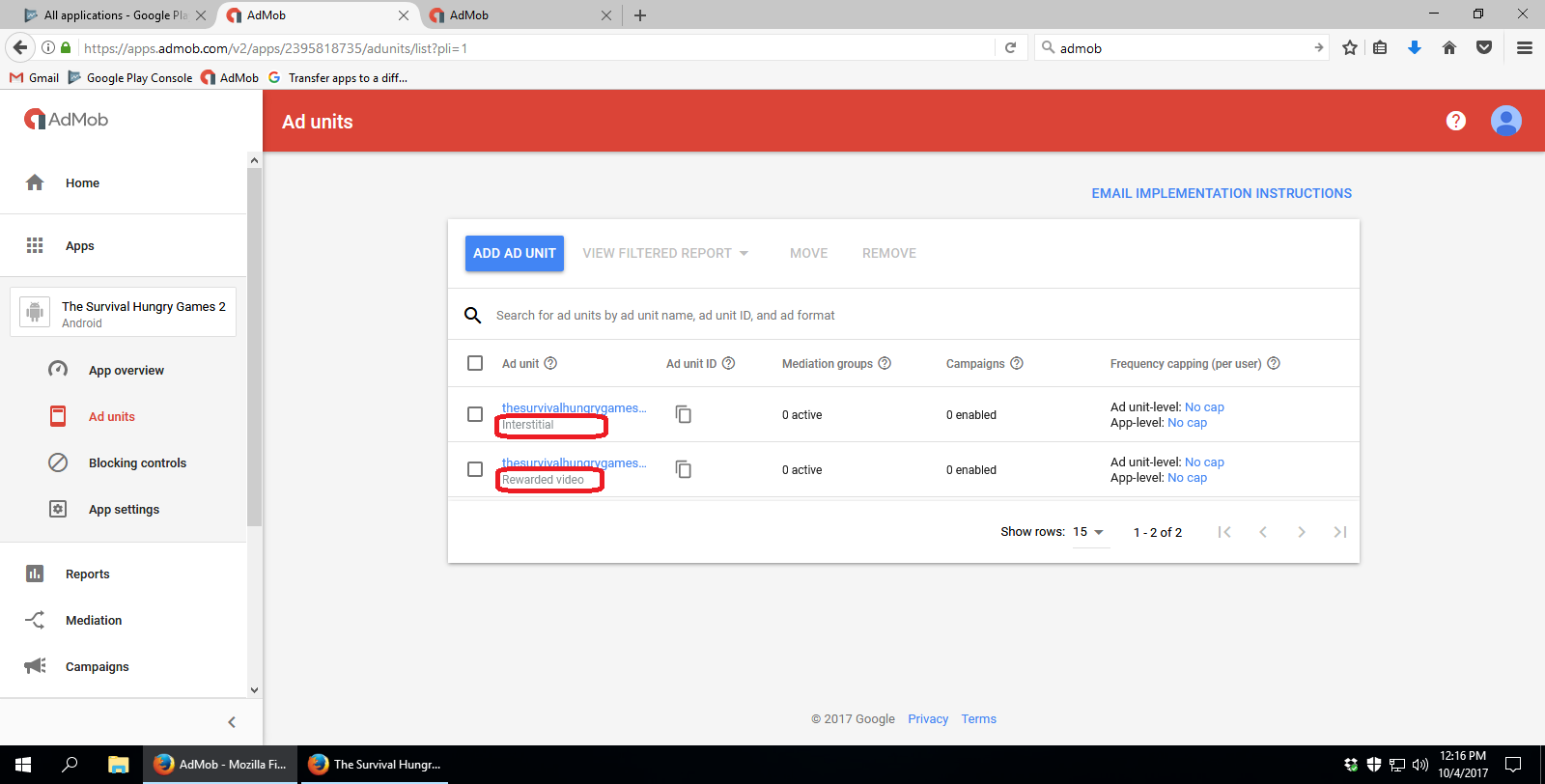
Interstitial Ad Unit
Click on Interstitial Ad unit and you will see ad unit id listed there. This ad unit ID will go under “Video Ad Unit ID” on Heyzap.
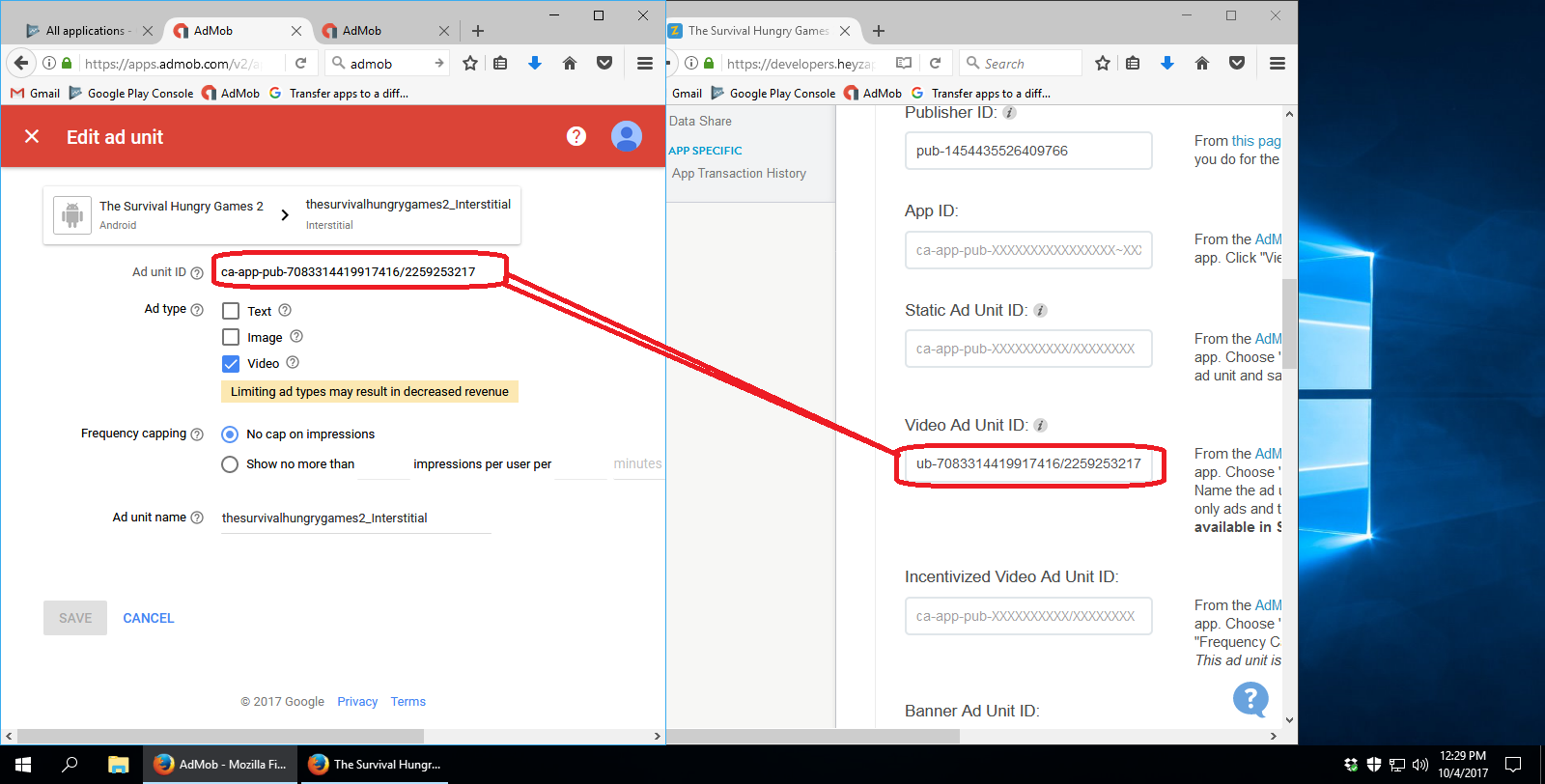
Rewarded Ad Unit
Click on Rewarded Ad unit and you will see ad unit id listed there. This ad unit ID will go under “Incentivized Video Ad Unit ID” on Heyzap.
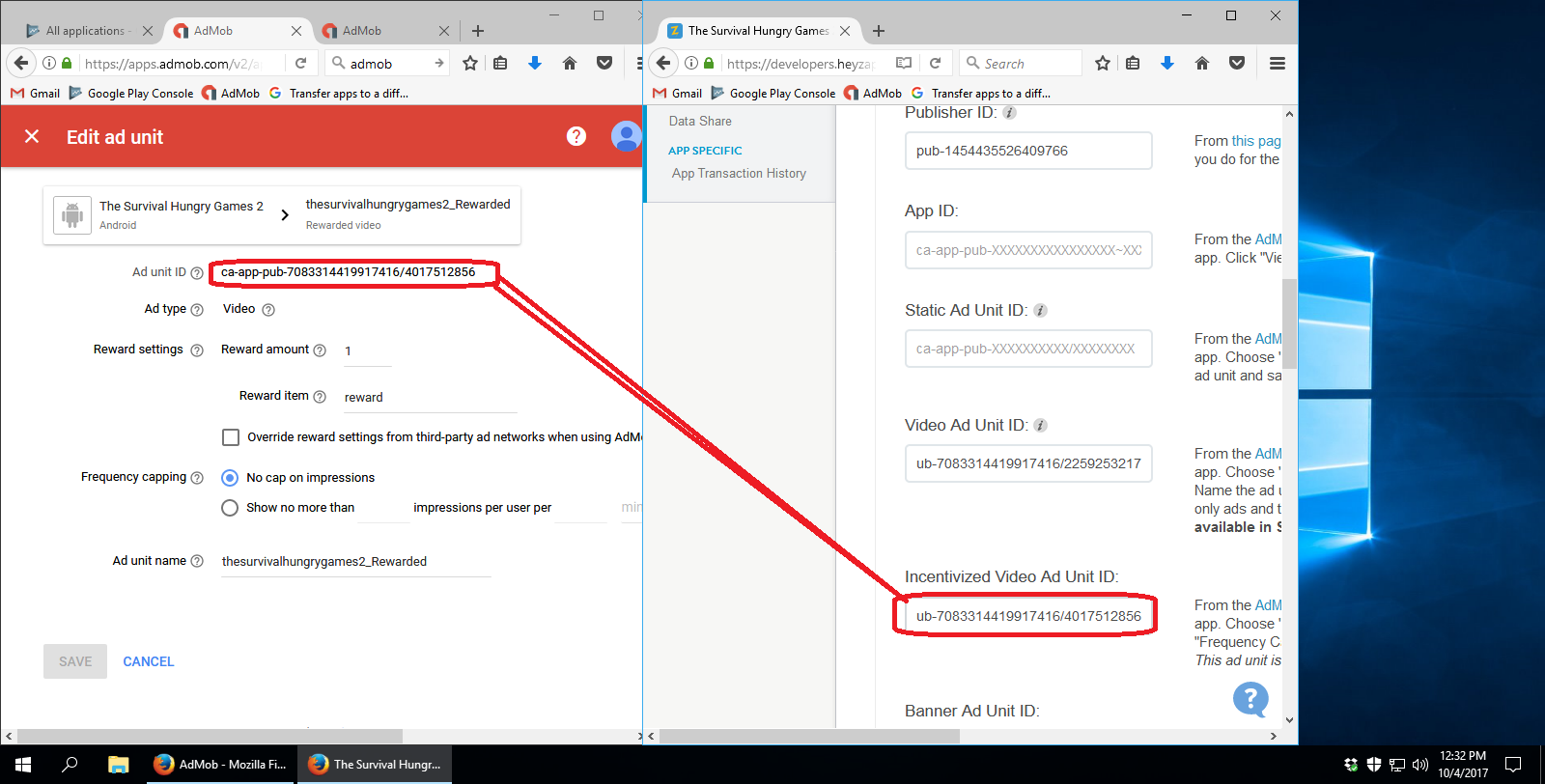
Final Steps
Save the settings. Don’t turn on or off any ad networks. Just keep it the way what is was earlier. Turned on ad networks will stay on. Turned off ad networks will stay off. Only apply the new ids and don’t make any changes on ad network set up even if you set up Admob as new thing.