
Set The Title Logo
 This may be fixed before you read it, but v1.0.2 of the exporter has a bug in which it exports the game’s icon but doesn’t set it.
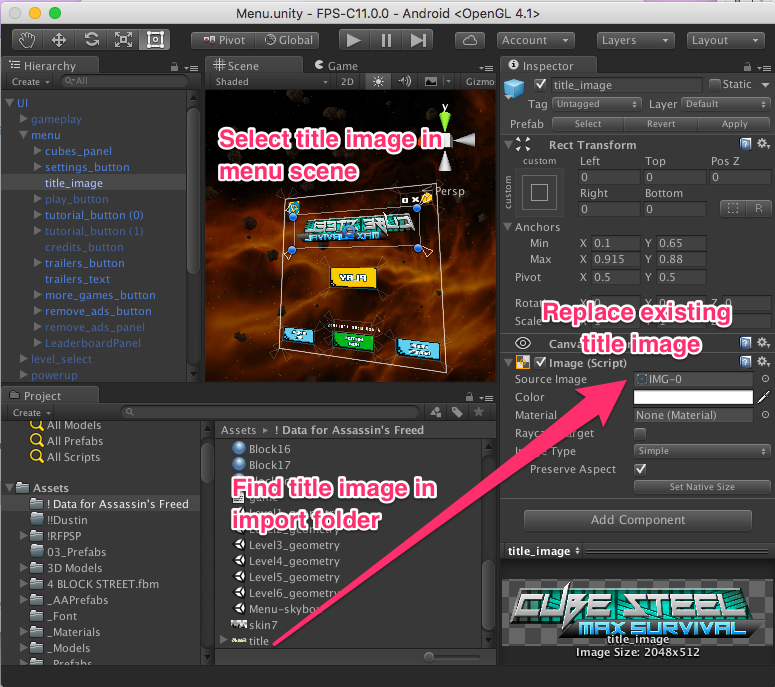
Look at the different images in your imported data folder and find the title. It is probably called title.
Now, open up the Menu scene (Assets/_Scenes/Menu.unity).
Find the old title image in the scene and select it.
Drag the new image from your import folder to be the image referenced by the scene.
Save.