
Set the Game Company
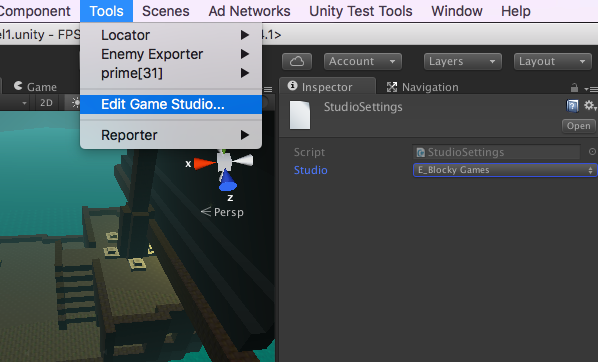
Choose Tools -> Edit Game Studio … from the menu, and set the game studio for this game. (This game belongs to Game Studio E).
Show Proper Ads In Pause Menu
Save your project to version control before and after performing this step, please.
Download the ad menu package for the game studio this game belongs to, and import it into your project.
Set Up Ads
Linking The Game In Unity Services
Sign In
Go to Window -> Services.
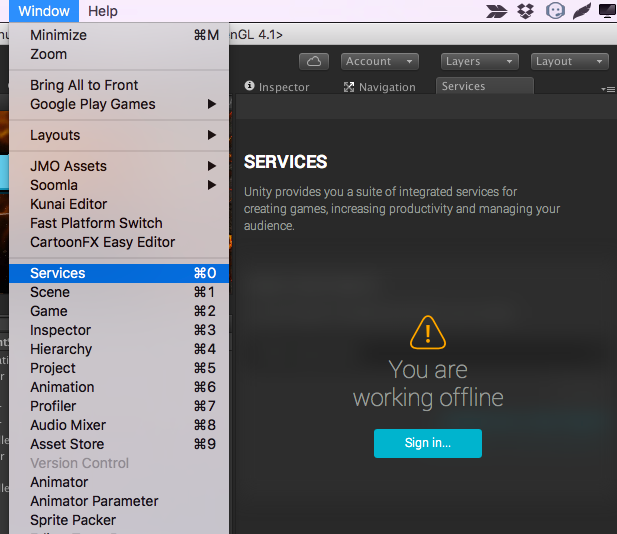
Sign in to the game company that the game belongs to. Although there are game companies with names going up to N or so, you only ever sign in with companies A, B, C, or E.
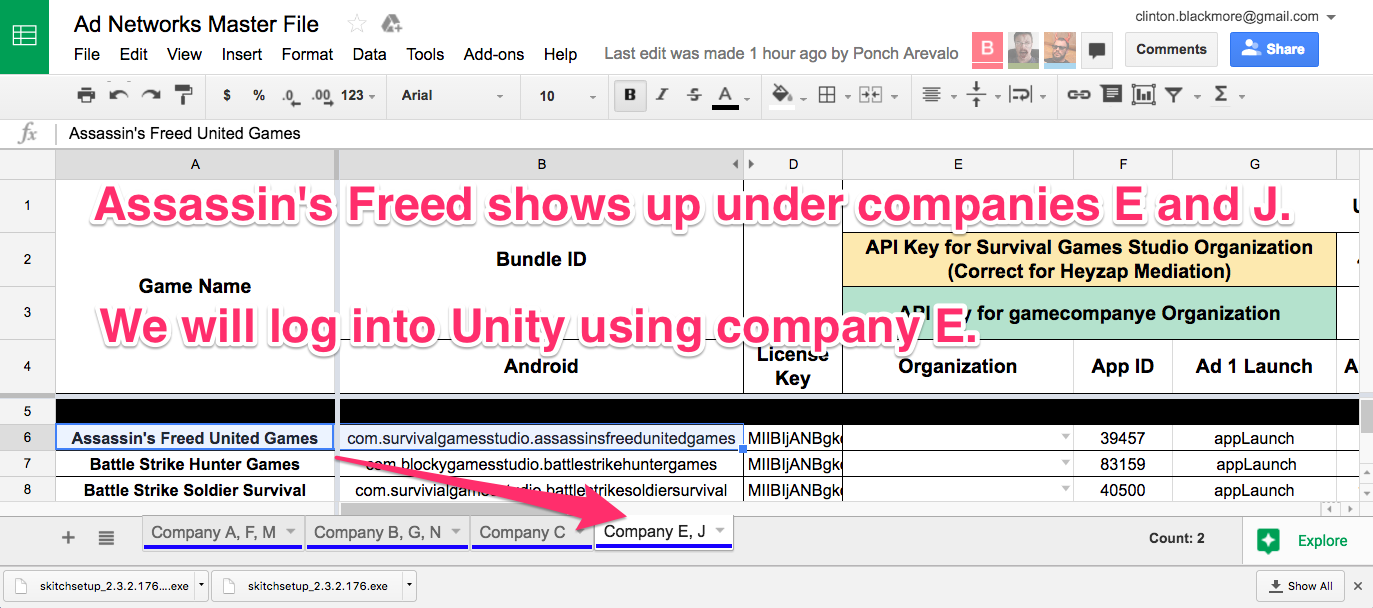
Open up this spreadsheet and find your game. Assassin’s Freed belongs to Survival Game Studio. We will need to sign in using Game Company E.
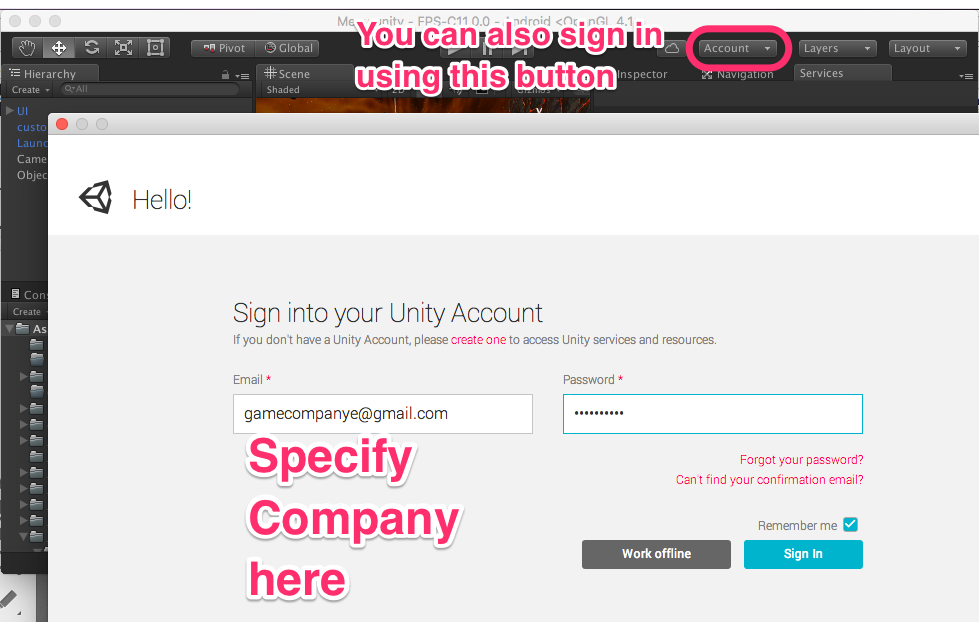
We hit the “Sign In…” button that appeared on the services screen, or, from the top of the screen, use the ‘Account’ button to sign out and sign in to the right company.
Link The Project To The Right Game in Unity Services
This is what you should see when you bring up the services Window:

This is what an unlinked project looks like. (If you see something different, skip ahead to the ‘Linking Troubleshooting Step’).
WARNING: This screen makes it super easy to do the wrong thing.
It looks obvious that you should select your organization. Do not do that! (It should only be used by someone creating a brand-new game!)
Instead, click on the ‘I already have a Unity Project ID’ button.

Next, you’ll have to decide what the name of the game company is.
Is it:
- gamecompanye, or
- Survival Games Studio ?
Go to the spreadsheet again, and use the one that matches the value in the ‘Organization’ column for your game.

Finally, choose your game from the list, and then hit the ‘Link’ button.

Troubleshooting Wrong Links
Skip this step if you didn’t have any problems with the last step. Continue with this step if you saw something different while linking the project.
Game Is Linked To The Wrong Project
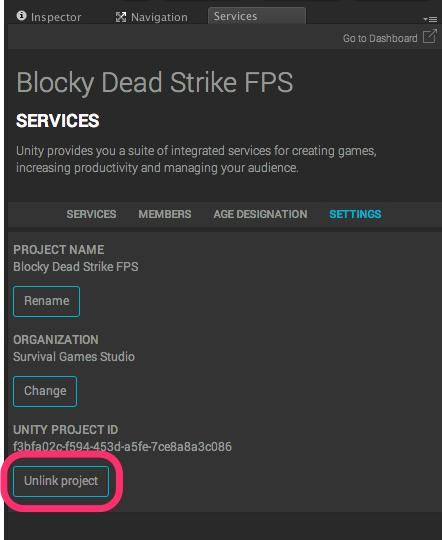
Go to Window -> Services, and click on the ‘Settings’ button. If you see that the game is already linked to a project, click on ‘Unlink Project’. Now return to the previous instruction 🙂
Game Asks You To Refresh Link Or Create New Link
Go to Window -> Services, and click on the ‘Settings’ button. If you see a screen that says something like “Please refresh the link or create a new link”, hit the “New Link” button and go on with the previous step.
Get The API Key Right In Heyzap
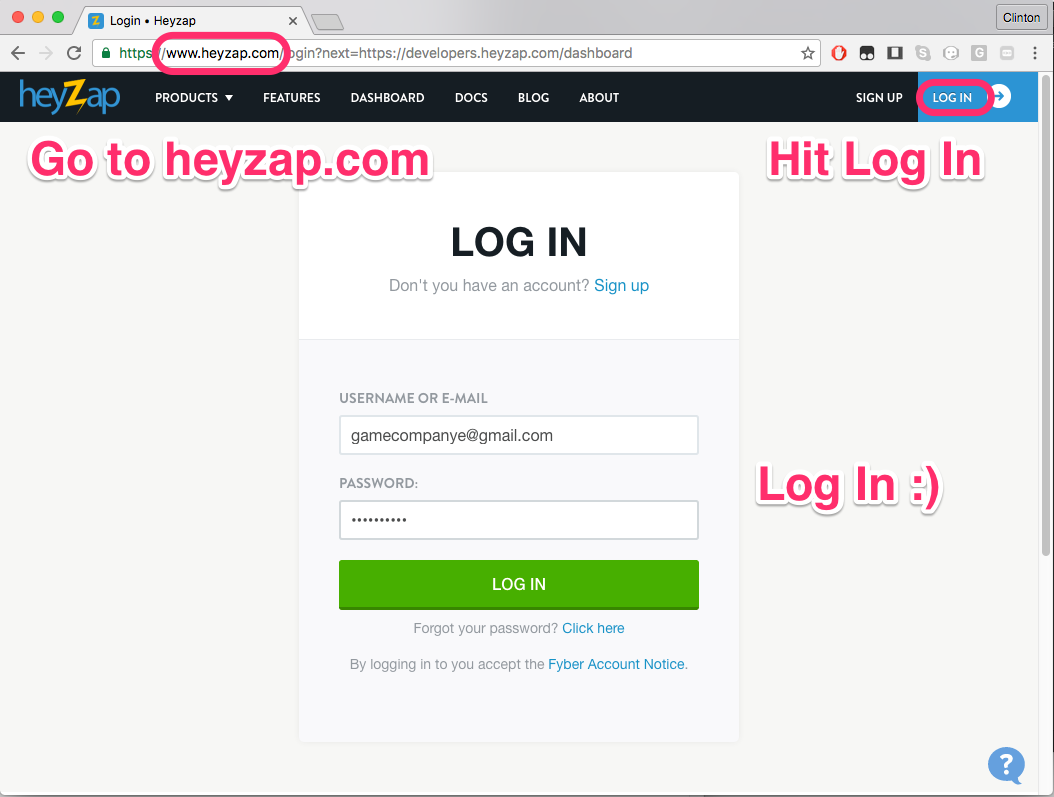
Log in to Heyzap.com.
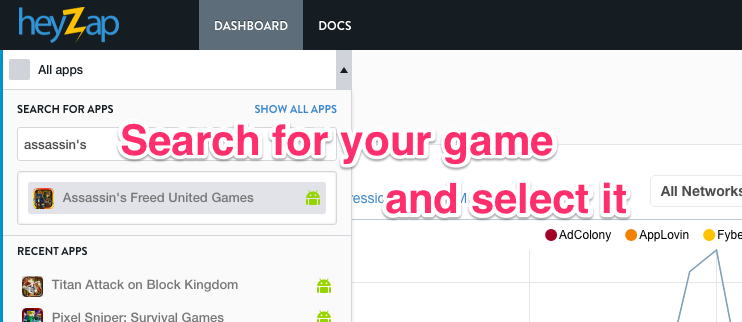
Bring up your game. (You’ll likely need to type part of the name in the ‘search for all apps’ box and then select it).
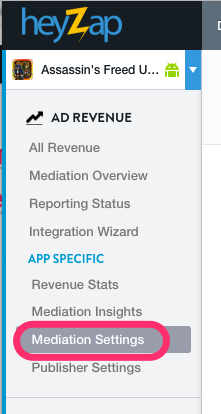
Choose the ‘mediation settings’ 🙂
Scroll down to the “Unity Ads” section in Heyzap mediation.
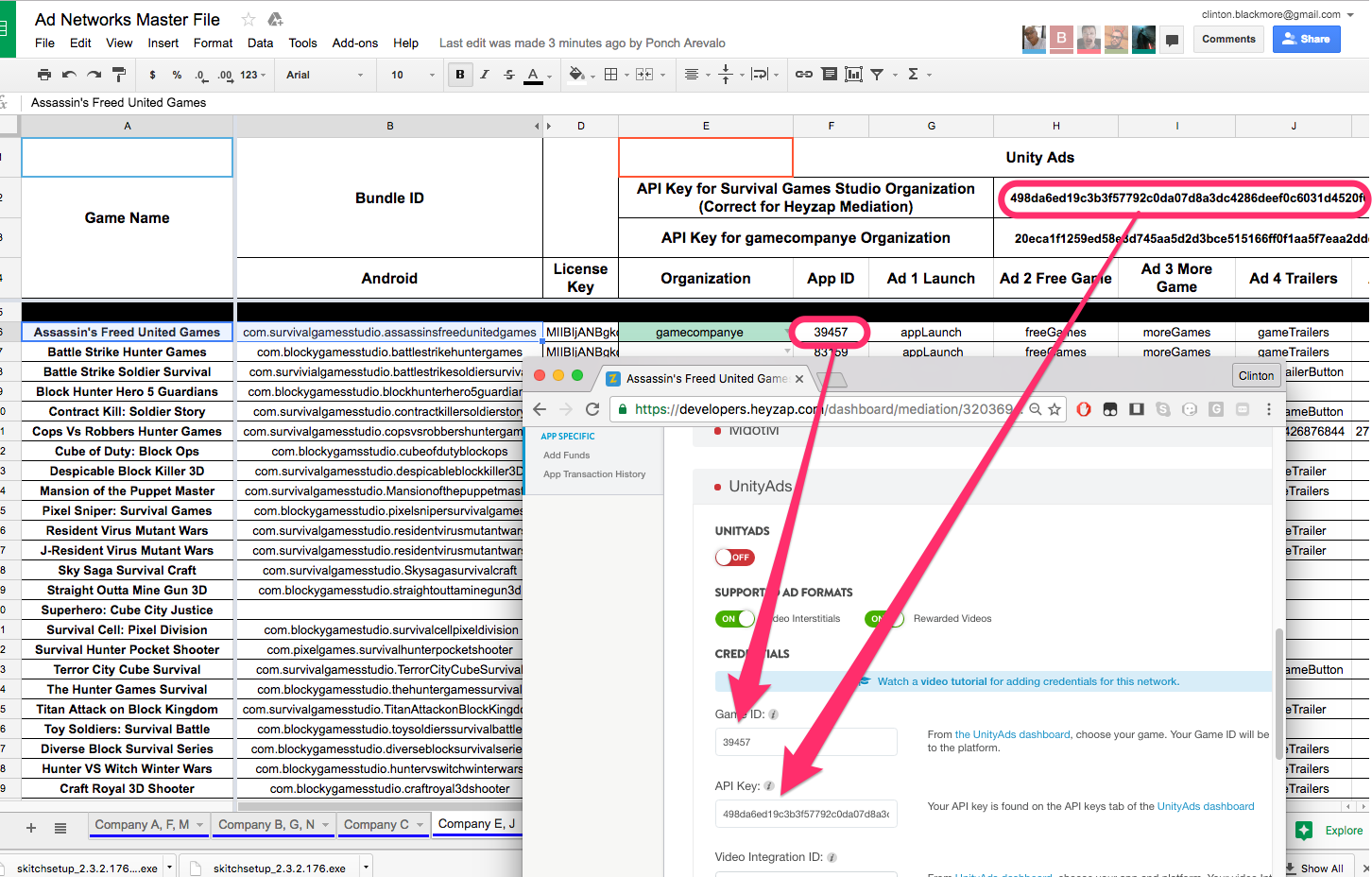
From the spreadsheet, make sure that the Game ID matches the App ID, and make sure that the API key matches top API key — the one that says, “API Key — Correct For Heyzap Mediation”). If they don’t match, update them in Heyzap mediation.
Set up the rest of Heyzap Mediation
Now that Unity Services is set up, and we’ve got the right API key for reporting on unity ads, follow the steps for setting up things for Heyzap mediation. You will not need to use Beyond Compare and copy files!
Soomla Settings
You need to set the Soomla key to match the one in column D of this spreadsheet.
Get The Latest Icon
Download the icon listed in column K of this spreadsheet.