
Purpose
To detail what goes into a bug report. Note that this does not discuss how to find bugs or prepare them to be written up.
Applicability
This is most applicable to developers and testers working on new code, and may be applicable to anyone else using projects that are or were in development.
Written Instructions

To create a bug in JIRA, first hit the blue ‘Create‘ button on the menu at the top of the JIRA page.
Choose the project that has the bug.

Set the Issue Type to ‘Bug’. This changes what fields follow and need to be filled in.

Write down a one-line summary or title for the bug.
This description should be explicit and using simple language. This means that it’s not just for the developers to understand, but someone without programming knowledge should understand what the summary is trying to say.
Bad Descriptions: “Menu bug”, “Game crashes”, “Texture glitch”
Good Descriptions: “Pause Menu stays opened after tapping close button”, “Game crashes when firing at doors”, “Level 5 Boss texture appears magenta”

Choose the priority of fixing the bug based on its severity.
↑ Highest: choose this when
- the game crashes or halts
- Google (or Apple or Microsoft) will reject our application
- this absolutely must be fixed
↑ High: choose this when
- the player gets stuck and can’t move
- required functionality is broken
- the game can not ship without this being fixed
↑ Medium: choose this when
- this is a clearly a bug and it is ugly, but we can ship it if we absolutely have to
↓ Low: choose this when
- this issue fairly minor, and just something that it’d be nice to fix
↓ Lowest: choose this when
- this bug is something trivial or subjective; ex. “the shed door should be red instead of purple”

The reporter field is automatically filled in for you.
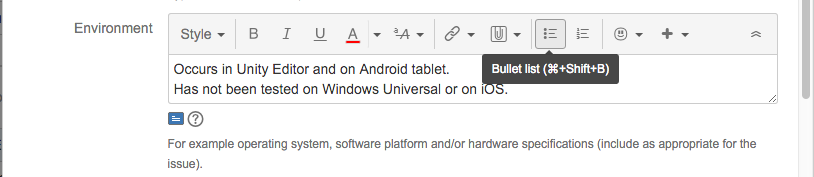
On which platforms (Environments) can the bug be reproduced? Are there platforms where it does not occur?
The next field is the Description, where most of the information about the bug goes.

Optionally start with a slightly longer summary.

Steps To Reproduce
This is the MOST important part of a bug report, we can’t stress that enough. The tester will write down a very specific step-by-step breakdown of how to reproduce the bug. This should be written in the second person as if they were instructions to follow (which they are) so that the developer will know exactly what to do to reproduce this bug. So, rather than saying “this is what I did”, it should say “this is what you must do”. These steps are critical for finding out what causes the bug and how to fix it. If the developer can’t reproduce the bug after following these steps to the letter, then the bug report is written incorrectly.
These steps must be numbered and written down as a list.
Many testers think that a bug can’t be reproduced all the time, this is incorrect. In an environment like Unity, most of the bugs can be reproduced 100% of the time once you know what the reproduction steps are, and this is the role of the testers. If a tester still can’t find all the necessary steps to reproduce the bug 100% of the time, then he can ask for another tester’s help.

Actual Results: What buggy behaviour occurred when you followed these steps?

Expected Results: If the game didn’t have this bug, what is supposed to happen when these steps are followed? This step is really important and not to be taken lightly. The tester must read the task description very carefully so as to not put an incorrect expected result (i.e. we don’t want testers to report things as bugs when they are behaving as expected).

Optional additional comments and attachments:
Feel free to add additional comments. You might stress why this bug is important, or add what you think is causing it.
If you added a screenshot or a link to a video, note them here. They aren’t always required, but a video prevents a developer from saying you are crazy, and screenshots are really helpful, too

Affected build(s): Put the name(s) of the builds that were tested and have this bug, one per line.

Attachments:
This is the best place to put screenshots that show what is broken. They aren’t required, but are very useful.
It might be useful to put a crash log or dump here, too.

Linked Issues:
If this bug blocks another task (or multiple tasks) from being moved to ‘Done’, mark it as blocking those issues.

When it is time for someone to fix the bug, they’ll assign it to themselves.
When they have a fix published, they’ll put the build name in the ‘Fixed build‘ field (so testers can determine if they have a build with the fix in it).

Sprint
If this bug prevents something from being moved to done in this sprint, choose the current sprint in the sprint field.
If it doesn’t, leave the field blank and it will be added to the backlog.

Finally, hit the ‘Create‘ button to create the bug.