Unity Ads Setup
This is the same drill. See my important notes and follow the docs.
- The Unity Ads steps of the Ad Cascade setup doc. (“Ad Cascade steps”).
- You might also look at the filtering instructions in the Ad Networks Master File; see the “AdsFiltering” sheet.
- The AdMob + Unity Ads setup steps from AdMob are also good.
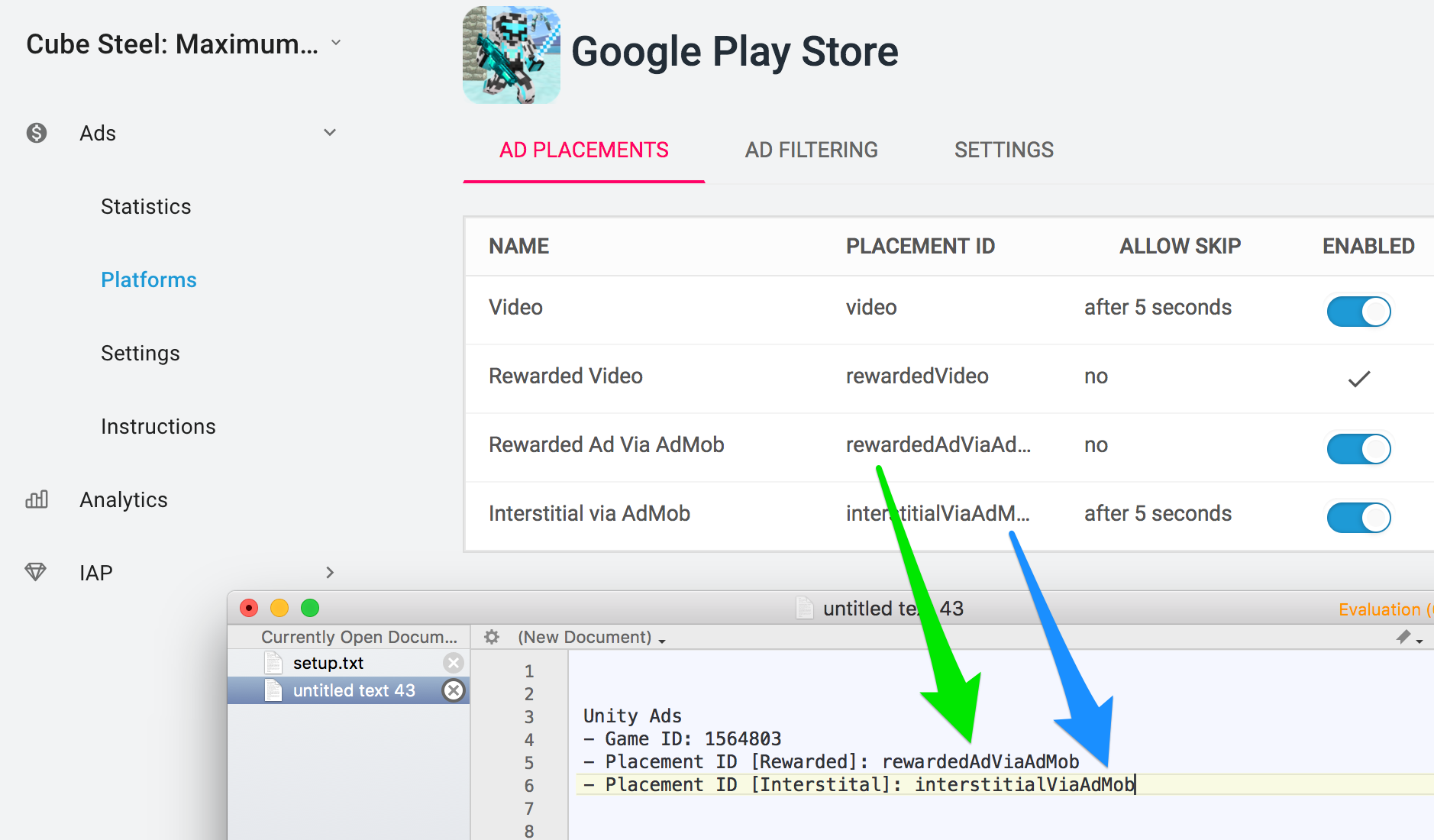
Note: I find the Unity dashboard to be a maze. Here is the easiest way I’ve found to get to the ad placement settings. 1) From the Unity Services panel, click on “Go to Dashboard” in the upper-right corner. 2) Click on “Go To Analytics”. [I don’t claim this makes sense.] 3) In the menu on the right, choose Monetization -> Platforms.
Here are the important notes:
- sign in to Unity Ads using adnetworks@blockyverse.com
- Find or create your game. [Actually, you would create it directly through Unity.]
- I suggest creating new placements called ‘Rewarded Via AdMob’ and ‘Interstitial Via AdMob’.
- You’ll need to obtain:
Unity Ads
- Game ID: 1564803
- Placement ID [Interstital]:
- Placement ID [Rewarded]:
You can get the game ID from multiple screens. Make sure you have the right title and platform.

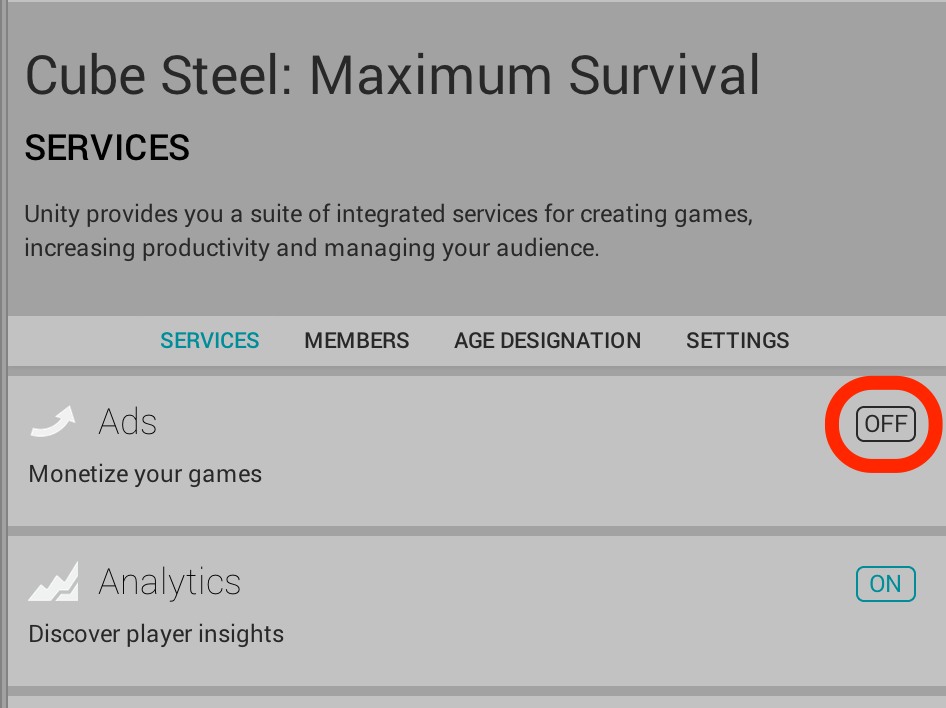
- After the setup, make sure that Unity Ads are turned off in your Unity Services section of the project.