(The Ad Terminator lets you delete a list of files and folders from a project easily and fairly painlessly.)
- Download The Ad Terminator and install it into your project.
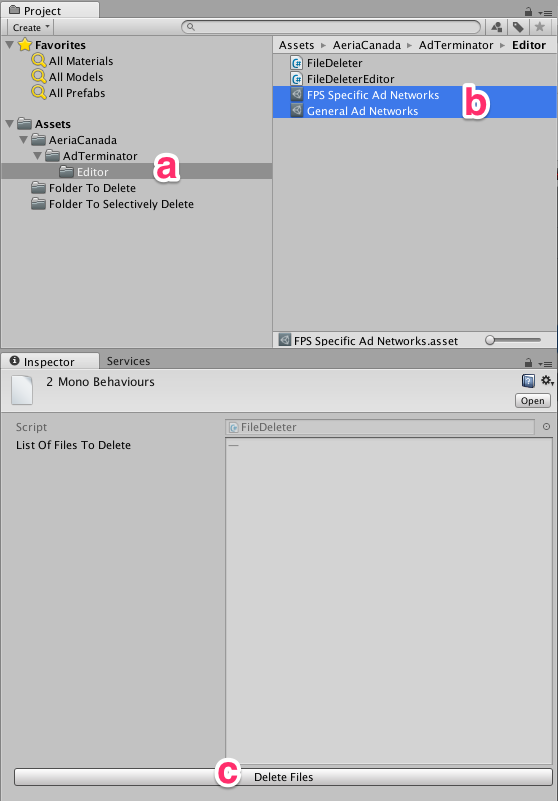
- a) Navigate to AeriaCanada/AdTerminator/Editor
b) Choose one or most lists of assets to delete.
c) Click on the ‘Delete Files’ button. - Profit!