Setting up AdMob
As usual, look at my notes, and then follow the instructions.
- The AdMob steps of the Ad Cascade document.
Notes:
- sign in to AdMob in VM1 using blockyverse@gmail.com
- Create rewarded and interstitial placements, as needed.
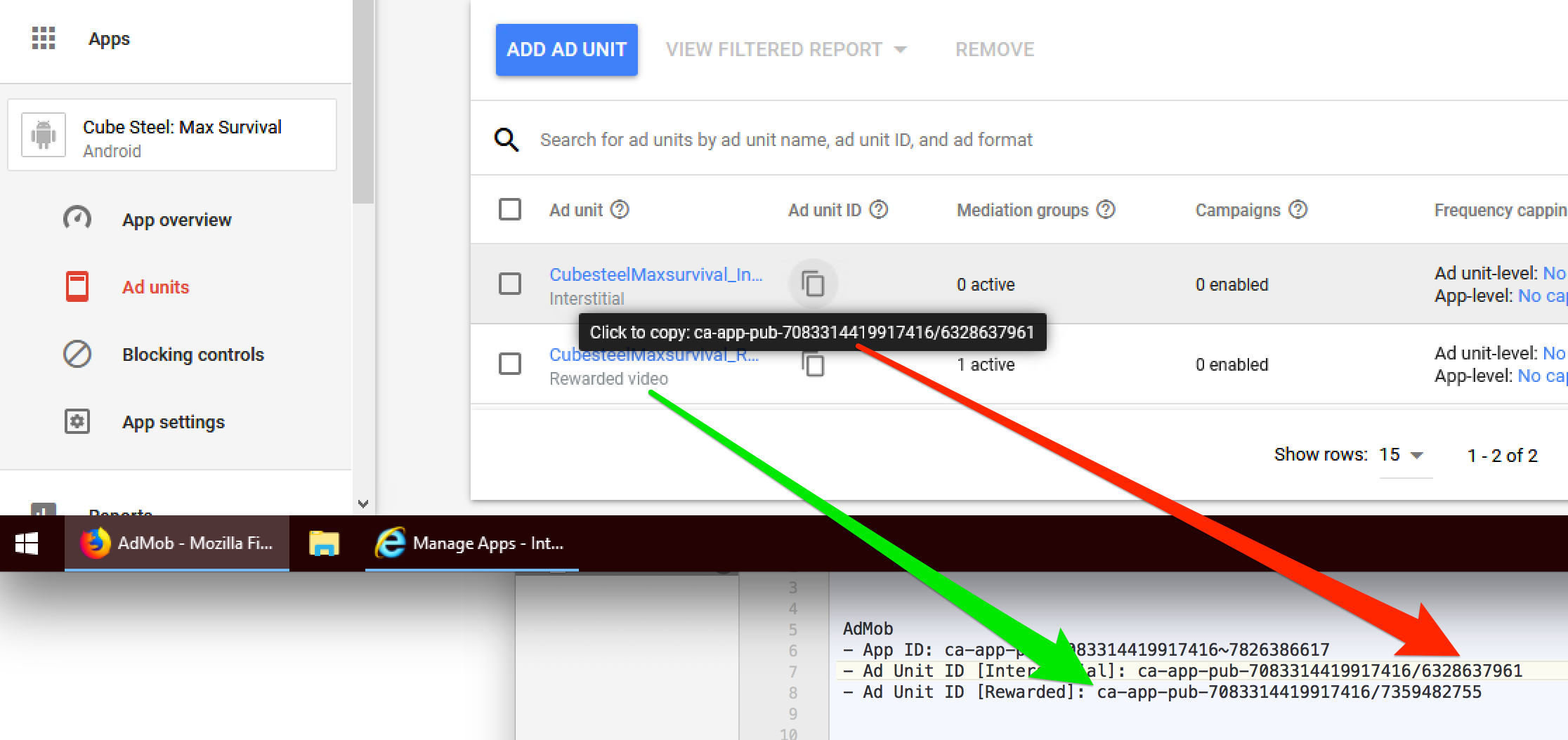
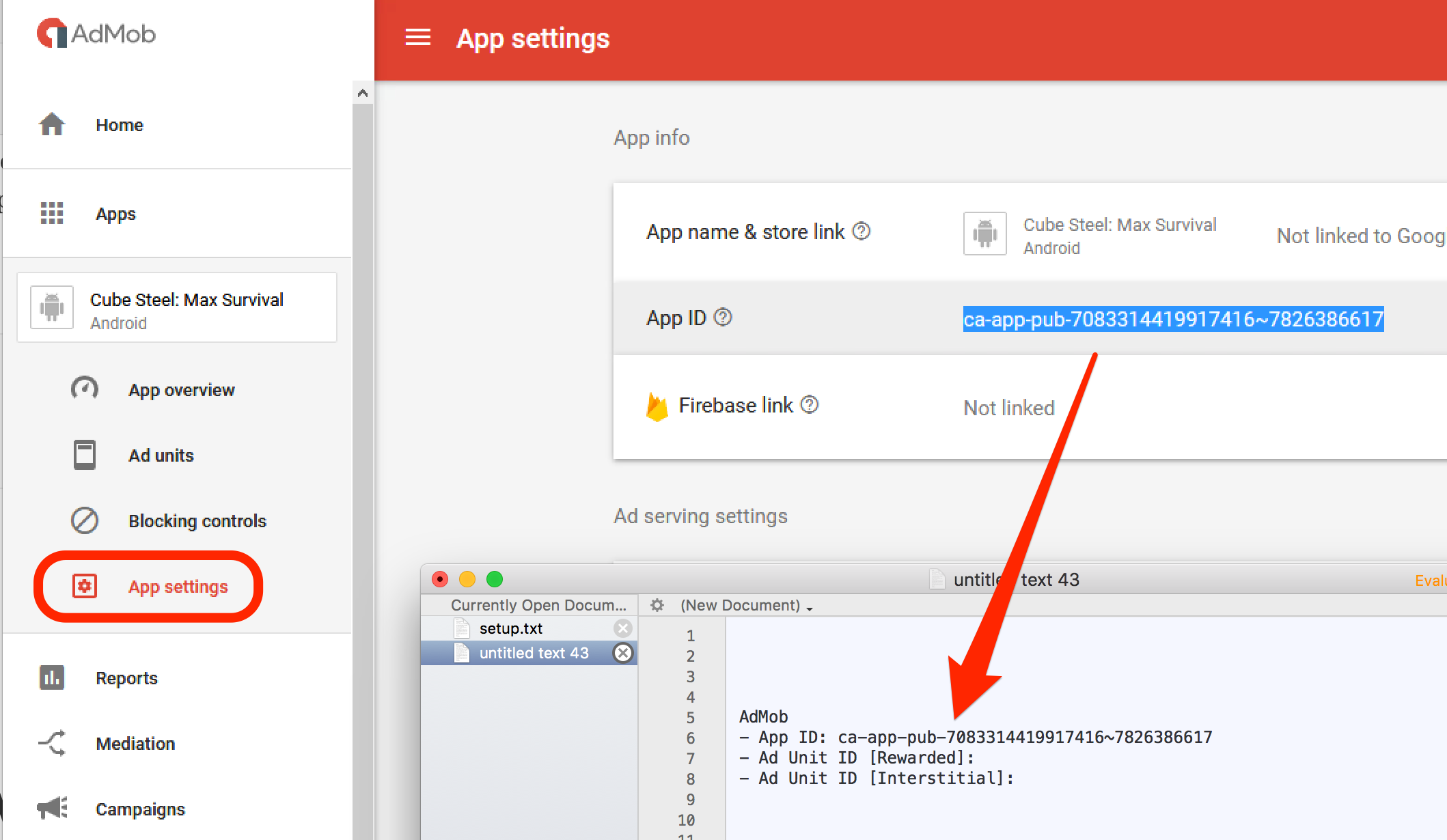
You’ll need to record:
AdMob
- App ID:
- Ad Unit ID [Interstitial]:
- Ad Unit ID [Rewarded]:
The App ID is available on the App Settings overview page.
The placement IDs are on the Ad Units page. Note that there are handy little buttons that’ll copy the ID to the clipboard for you. Double-check that you put the interstitial ID in the interstitial slot, and the rewarded ID in the rewarded slot.