AdMob Mediation Package
Dealing With Build Problems
I had a number of problems getting the project to build.
1. License Files don’t have expected contents
If you get a pop-up with this error:
Moving Temp/StagingArea/android-libraries/com.google.android.gms.play-services-ads-license-11.8.0/classes.jar to Temp/StagingArea/android-libraries/com.google.android.gms.play-services-ads-license-11.8.0/libs/classes.jar: No such file or directory
then it means there are useless ‘licence’ aar files that don’t actually contain ‘classes.jar’ as Unity 5.6 expects. (I think you can actually go to a newer version of Unity or an older version of the Android tools to resolve this problem).
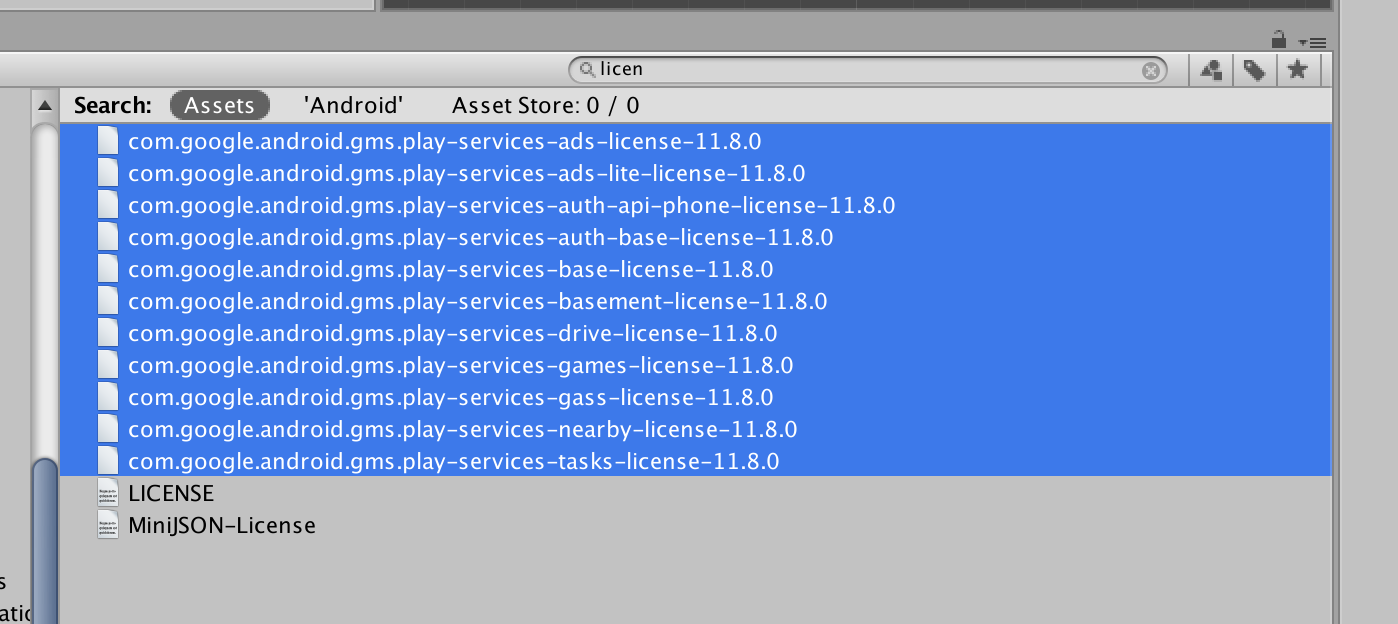
Anyways, search your project for the word ‘license’ and delete all the play-services license files.
2. Android Manifest Issues
Because we were constantly hitting the Dex limit, we need to build the app with Gradle. Unity supports this at least as far back as Unity 5.6, and even prefers it over their built-in system in Unity 2017.3.
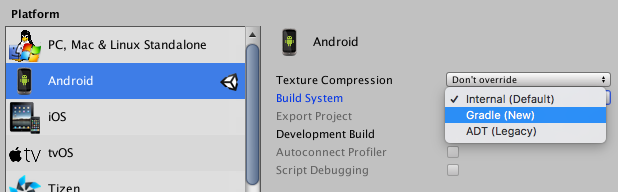
Unfortunately, Gradle is more picky about building projects than the built-in system was. It will complain about Android elements that were referenced but not used, or ones that are included in duplicate.
Dealing With Missing Resources
If you get an error that, say, the @app_icon resource couldn’t be found, what is ultimately happening is that the Android Manifest says it needs a certain file, but Unity didn’t include it.
One thing that helps is trying a very basic manifest. It used to be the case that everything went into Plugins/Android/AndroidManifest.xml. Now, thank heavens!, you can have multiple AndroidManifest.xml files in subfolders of Plugins/Android and Unity will merge them. Most of the settings should really be in those subfiles, and many settings can be turned on in the Android Player Settings inspector.
For example, here are several settings that in the past you would’ve needed to put into the Android manifest, but you can now control in the Unity Android Player settings:
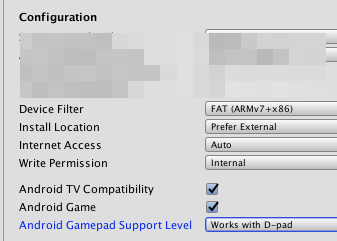
In any event, if you are getting errors about resources not being found (like @app_icon), try deleting Plugins/Android/AndroidManifest.xml, or replacing it with this simplified version.
<?xml version="1.0" encoding="utf-8"?>
<manifest xmlns:android="http://schemas.android.com/apk/res/android"
     xmlns:tools="http://schemas.android.com/tools"
     package="com.unity3d.player"
     android:installLocation="preferExternal"
     android:versionCode="1"
     android:versionName="1.0">
</manifest>
(Note that you may need to restore parts of the file later. It is hard to say. But this is a very useful debugging step).
Dealing with Duplicated Resources
Suppose you get an error message like this:
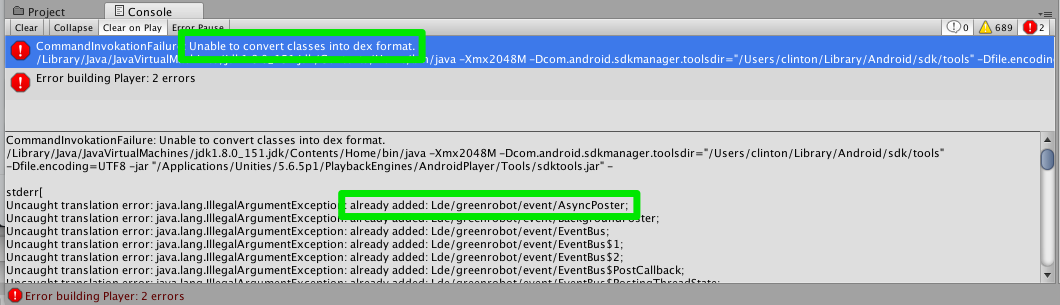
From hard experience, I’ve learned that this means some class file is being included a second time. In this case, it is something de.greenbot. I searched the project for that and found de.greenrobot.eventbus-2.2.1. That is one of the places the file is included. Where is the other?
(My guess is that some sloppy third party just copied the whole thing into the library, but the Play Services Resolver knows it is a dependency and downloaded and installed it.)
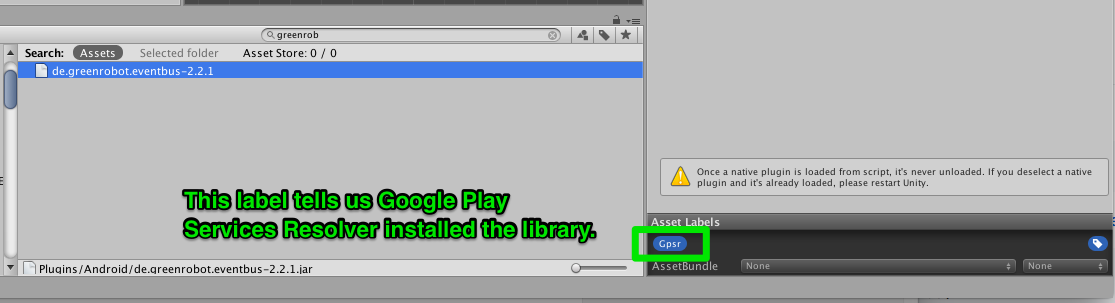
I deleted this copy, and tried building again. Success? Yes-ish. Now I’m on to a different error.
(If you do want to find both copies of a library, I figured it out when solving an issue, but it isn’t quick and easy).
Dealing with obfuscation
The ad networks break under default obfuscation.
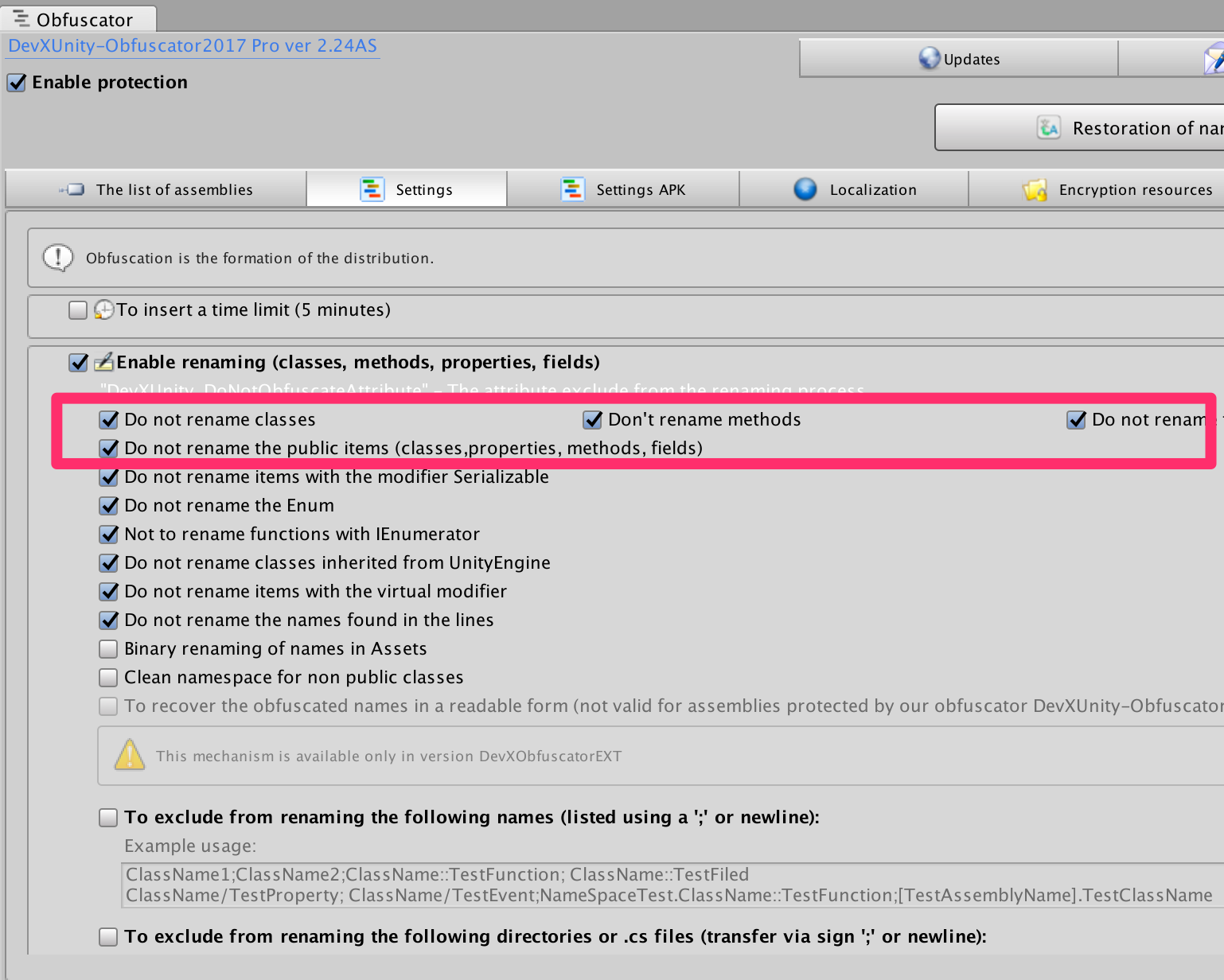
If you must use the DevX obfuscator, try these settings: