
2. Add in the AdMob Mediation Package
Download the AdMob Mediation package.
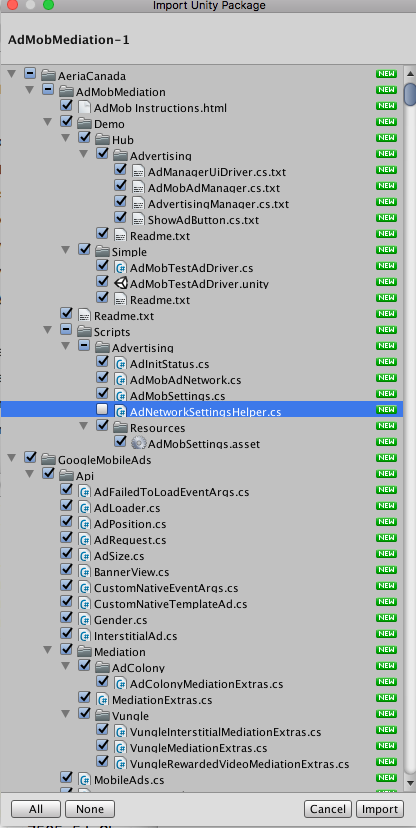
Choose Assets -> Import Package -> Custom Package from the menu.
If your project is based on the FPS/CCode, do not import AeriaCanada/AdMobMediation/Scripts/Advertising/AdNetworkSettingsHelper.cs, as you already have it. (For other projects, import everything).
Now that you’ve done this, you’ll want to resolve dependencies. Go to Assets -> Play Services Resolver -> Android Resolver -> Resolve. It’ll take a minute; you should see some progress and a ‘finished’ message.
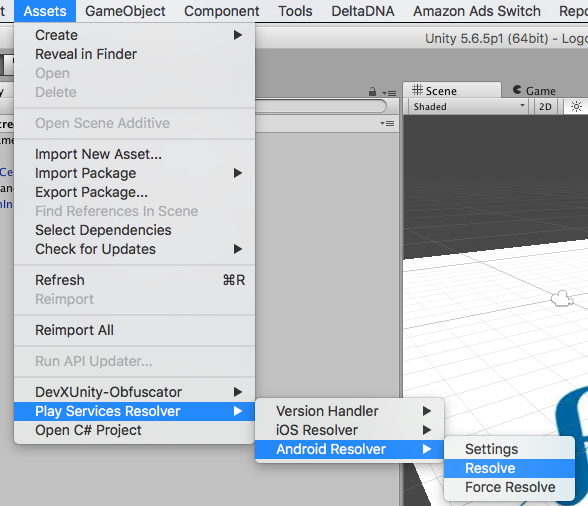
Note that you may turn auto resolution off in the Settings menu just above Resolve.
Done! Make sure to commit.